Holiday readiness: run your first load test with skills
Before you can answer whether checkout will survive Black Friday, you need a test you can rerun. In this demo, we used a coding agent and the Speedscale skills to record a Node app, mock its downstream API, and run a 30-second load test with 10 virtual users.
That’s a small first step in holiday readiness. It gives you a working test and a result to inspect, with time left to fix what you find before a code freeze.
Alan’s holiday checkout post covers the larger rehearsal: representative baskets, peak traffic, and slow payment partners. This walkthrough gets the local testing foundation in place.
Give your agent the testing skills
The Speedscale agent skills are instructions and scripts your coding agent can use to perform specific testing tasks. install-speedscale handles setup. proxymock-load-test runs a bounded load test from a recording. analyze-replay-report helps explain the result. You can inspect the instructions in the public skills repository.
Open your coding agent (Claude Code, Codex, Cursor, or similar) in the repository you want to test. Copy and paste this setup request:
Read https://raw.githubusercontent.com/speedscale/skills/main/skills/install-speedscale/SKILL.md
and its linked references and scripts. Install proxymock locally, initialize it,
and connect its MCP server and agent skills. Use local mode; skip Kubernetes setup.
The URL points at the main branch of the skills repository, so read the file before your agent runs it. Complete sign-in when the setup asks you to. Then confirm it worked by pasting this follow-up:
List the Speedscale skills you can use now, and confirm the proxymock MCP server is connected.The proxymock setup guide has the maintained installation instructions if you’d rather install by hand.
Record a small app and replay it under load
Our demo used languages/node in mock-lab, a small HTTP app that calls a downstream API. Clone the repository, then open your agent in mock-lab/languages/node:
git clone https://github.com/speedscale/mock-lab.git
cd mock-lab/languages/node
The scenario guide in that directory supplies the recording and replay commands, including Node’s proxy and certificate settings. The app needs Node 24 or Node 22.21 or later on the 22 release line, and proxymock v2.5.1133 or newer. The recording step calls a public reference API, so it needs internet access. For your own service, record against a development environment you own.
With setup complete and your agent open in mock-lab/languages/node, copy and paste this request:
Use SCENARIOS.md in this directory (https://github.com/speedscale/mock-lab/blob/main/languages/node/SCENARIOS.md). Record fresh traffic from the four
read endpoints, then use proxymock-load-test to replay it against this Node app
with its downstream API mocked. Use 10 virtual users for 30 seconds. Show the
commands, replay verdict, latency percentiles, failures, and mock match results.
Save the recording and results in this app's proxymock directory.
The recording contains both the incoming requests and the downstream responses. During replay, the app handles the incoming requests while the mock supplies the captured dependency responses. Check the mock results so an unexpected call to a real API doesn’t silently become part of your test.
Read the result before increasing the load
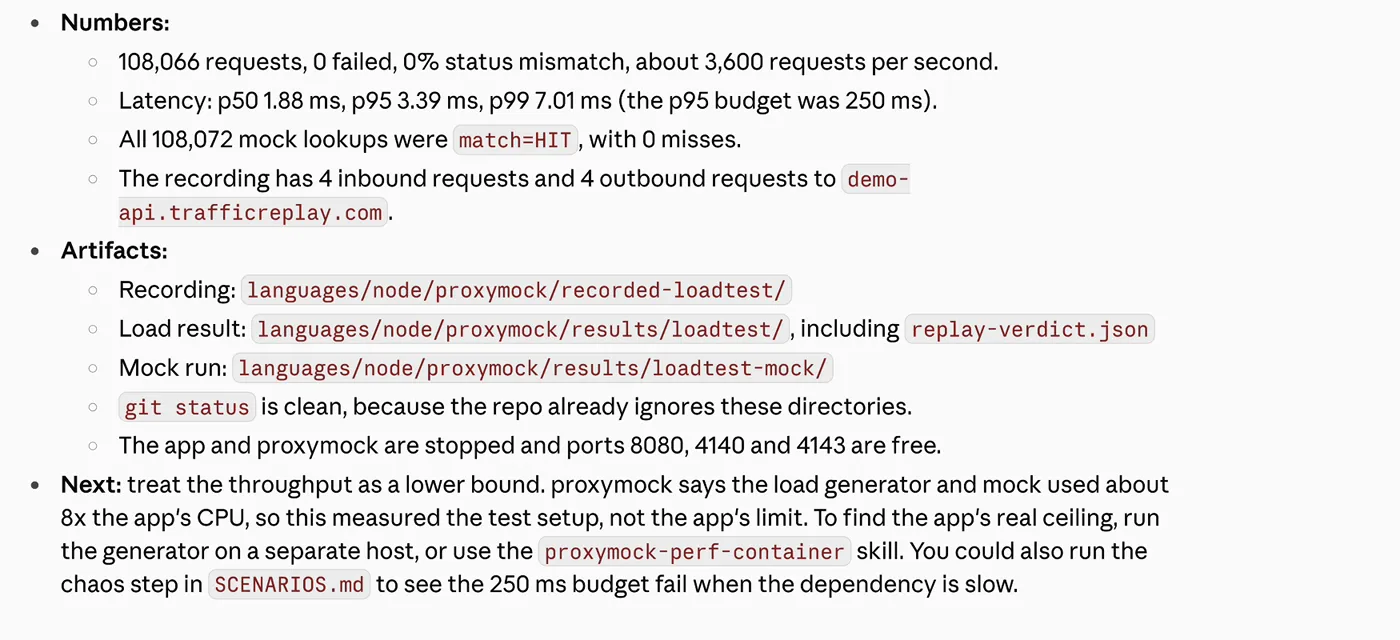
The recorded run reported median latency of 1.88 ms and p99 latency of 7.01 ms. It served 108,072 mock responses with no mock misses. Those numbers describe this local demo with a mocked downstream API.
The useful finding was the limit: the load generator and mock consumed more CPU than the app. The test setup limited throughput, so this run didn’t establish the application’s capacity. A low latency number from this setup can’t answer how checkout behaves at holiday peak.
Ask the agent to explain the result, then check its answer against the saved files:
Use analyze-replay-report on the load test you just ran. Explain the verdict, whether the app or the test setup limited throughput, and where the replay verdict and mock results are saved.Compare its explanation with those files. Keep the commands so you can rerun the test after a code change without asking the model to design it again.
Keep the baseline recording unchanged as you compare builds. If the request mix or mock timing changes between runs, you lose a useful comparison. Record those changes explicitly before interpreting a faster result.
Turn the baseline into a holiday rehearsal
Replace the demo with your own service in a development environment. Choose a recording that includes the checkout paths you care about, then agree on the load target and acceptable latency and failure rates. Our earlier seasonal readiness guide explains how production traffic helps you choose those scenarios.
Increase load deliberately and check the achieved rate. If the test setup saturates first, separate the generator from the app before treating the result as a capacity measurement. For Kubernetes autoscaling, use a separate rehearsal that checks whether replicas respond to the load; our autoscaling testing guide covers that next step.
Then test a dependency failure. Alan’s holiday post includes slow-payment and retry scenarios worth rehearsing before the freeze. Keep the completed-order checks alongside latency measurements, especially when retries could create duplicate work.
Start with the local setup and one service. Save a recording, run the first bounded test, and inspect what limited it. That gives you something concrete to improve before the holiday rehearsal.