
API Traffic Replay Testing: The Definitive Guide (2026)
API traffic replay testing sends previously captured requests to a running application and checks its observed behavior. A recording can include client requests, application responses, and calls to dependencies. The protocols captured and the checks performed depend on the tool and configuration.
For a service on your laptop, Speedscale’s proxymock CLI can record traffic, serve recorded dependency responses, and replay inbound requests against a code change. For Kubernetes workloads, Speedscale provides cluster capture and replay workflows. Start with the task you need to complete:
| Your task | Start here | What to check |
|---|---|---|
| Record and replay a local application | Existing Go walkthrough | Capture accepted behavior before changing the app; inspect the requests and responses. |
| Reject a regression in CI | Verified replay gate and failure case | Preserve the baseline and prove that a wrong response fails the job. |
| Replay a Kubernetes workload | Cluster replay tutorial | Verify workload selection, dependency routing, and the final report. |
| Choose an HTTP mocking tool | WireMock, MockServer, and proxymock comparison | Decide whether you need controlled stubs, interaction checks, or recorded behavior. |
How API traffic replay works
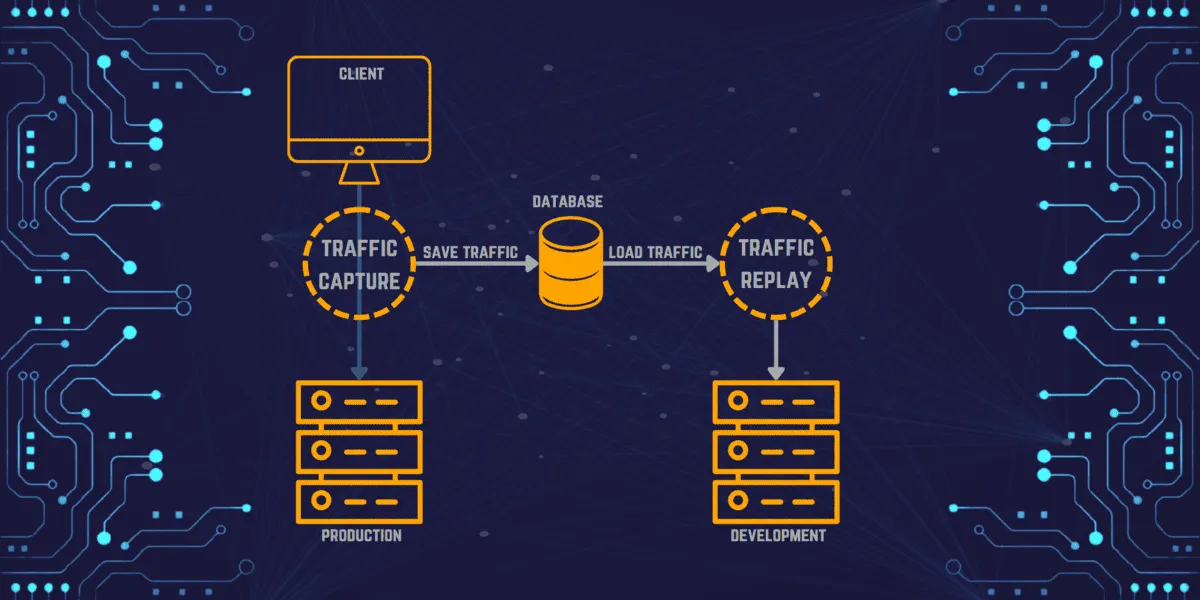
Capture records the traffic that passes through the configured collector or proxy. Exercise the application flows you care about, including relevant failures. A recording cannot cover an endpoint or error condition that never occurred during capture. In local proxymock workflows, clients send inbound requests through the recording proxy, while the app’s downstream calls need the appropriate proxy or port mapping.
Next, review the traffic before using it as a fixture. Remove secrets and personal data, select the requests to replay, and handle values that change between runs. A captured access token may be expired. An order ID created by one request may need to be carried into the next. These are configuration requirements to verify, not reasons to replace the expected responses with a candidate’s output.
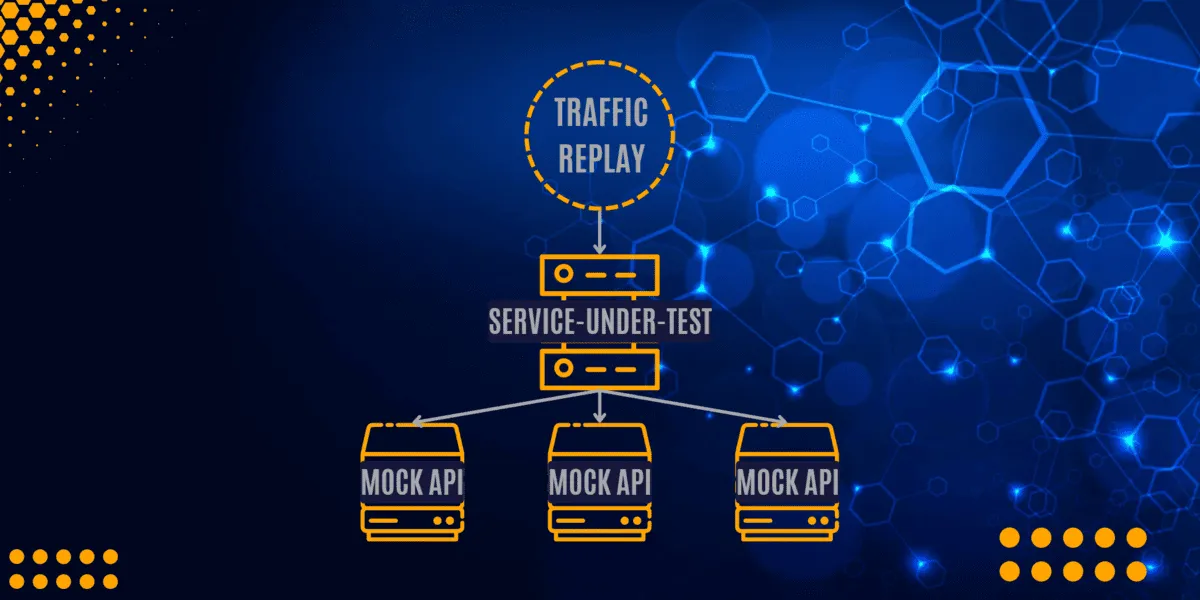
Replay sends the selected inbound requests to the target app. Dependency mocks can supply the saved outbound responses while the app handles those requests. The replay report then shows what happened under that workload and configuration.
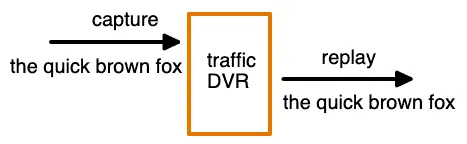
Recording, dependency mocking, and inbound replay are distinct operations. The CLI overview describes their roles:
| Command | Role |
|---|---|
proxymock record | Capture traffic while exercising the app through its configured proxies. |
proxymock mock | Serve recorded responses to dependency calls routed through the mock server. |
proxymock replay | Send saved inbound requests to the running app and produce replay results. |
proxymock web | Inspect local recordings and results. |
Starting proxymock mock does not send the saved client requests to your application. A regression workflow needs the replay step and an explicit failure gate.
Why use traffic replay instead of scripted tests?
Traffic replay gives you concrete inputs and responses from an application flow. This helps when payloads, authentication sequences, or dependency interactions are cumbersome to recreate by hand. It also gives a reviewer evidence to compare with an implementation change.
Recordings still need maintenance. A dependency can change after capture, a fixture can preserve a bug, and a new requirement may need behavior absent from the old traffic. Review the baseline against the requirements. Keep unit tests for logic, contract checks for schemas, and tests for boundary cases the recording doesn’t exercise.
Replaying the same recording doesn’t automatically generate new input combinations. Add selected recordings or deliberate variations when you need more coverage. Refresh fixtures in a separate, reviewed change when the expected contract changes.
Core use cases
Regression testing
Replay accepted inputs against a candidate version and inspect response differences. A difference may be a regression, an intentional change, or a dynamic value that needs explicit treatment. The CI tutorial demonstrates a body-value regression that keeps HTTP status 200 while failing the configured gate.
Load testing
Load testing can use captured request mixes and payloads as its workload. Set concurrency, duration, and acceptance thresholds for the question you are testing. Dependency mocks change what is being measured: a service tested against mocked responses does not establish the capacity of its real database or payment provider.
High-throughput mode and functional response validation can produce different evidence. For proxymock, load mode omits response scoring and cannot use the baseline gate. Run a functional check separately when response compatibility matters.
Service mocking
Recorded outbound interactions can become dependency mocks. This lets an integration flow run against saved responses while you change the application. Inspect mock misses and passthrough calls; a running mock server alone doesn’t establish isolation.
Contract testing
Replay can expose changes in observed response behavior. Validating every required schema rule needs a contract check against the relevant OpenAPI specification, protobuf definition, or GraphQL schema. A matching recorded response does not prove conformance for every permitted input.
Chaos testing and migration validation
Drive the app with a known workload while injecting a selected dependency fault, then check the expected error handling. For a migration, run the selected requests against the old and new versions and review the differences. Both workflows need explicit expectations; the unchanged recording alone doesn’t define which new behavior is acceptable.
Levels of sophistication
Evaluate the capabilities you need rather than assigning every tool a single maturity score. Packet replay, HTTP rewriting, dependency simulation, and response comparison solve different problems.
Packet replay
Tcpreplay replays traffic from packet captures, with editing and rate-control options. Sending saved packets onto a network is a different task from executing a fresh HTTP conversation against an application and comparing its response. Check the tool’s protocol and connection limitations for your test.
Protocol-aware capture
A protocol-aware tool can interpret requests and responses, including fields such as HTTP headers or SQL messages. Speedscale supports traffic workflows for HTTP, gRPC, Postgres, MySQL, and Redis. Capture support depends on the runtime, client, deployment, and routing configuration. Follow the protocol and language setup for the service you’re testing.
Rewriting dynamic values
URL changes, credential replacement, and response-to-request correlation need different transforms. A rule that rewrites a header does not necessarily discover a token relationship across a login and order flow.
Speedscale and proxymock support traffic transforms. Inspect which rules ran and whether the application accepted the resulting requests. In the existing walkthrough, a blueprint carries fresh authentication and order values through the recorded flow. That is a specific configured example, not a promise that every JWT, ID, or timestamp is repaired automatically.
Sanitizing production data for safe replay
Before traffic moves into another environment, see the PII testing dilemma and inspect bodies, headers, query strings, and artifacts for sensitive data. Apply the relevant masking rules and check the result. Masking does not itself establish compliance, and a local workflow still needs appropriate file access and retention controls.
Credentials require a separate decision. Remove captured secrets before sharing fixtures and supply credentials authorized for the target environment when live authentication is needed. A tool cannot make an expired signed token valid merely by changing its text. Use the supported credential replacement workflow for your setup.
Handle IDs and timestamps according to their role. Keep correlations between requests intact. If the app creates a new order during replay, later requests must use that order’s ID. A blanket rule that ignores every changed field could hide the regression you intended to detect.
Database state also matters. A request to update an absent row can fail even if the application code is unchanged. Decide whether to seed a disposable database or mock its recorded responses. Database mocks do not replace tests of current schema, transaction, or query semantics.
Integrating traffic replay into CI/CD
Preserve the accepted source recording and a reviewed known-good replay output. They are separate artifacts: proxymock’s --baseline option takes the earlier replay output, including observed responses and replay-verdict.json. Keep the source request identities unchanged when comparing candidates.
The existing CI tutorial contains the full script and workflow. It starts the app with recorded dependency responses, selects the regression test configuration, requires the existing token/order blueprint, checks that all eight requests ran, and uses an explicit baseline gate. Reuse that script rather than assembling a gate from a mock-server command alone.
The candidate’s response gate includes these options:
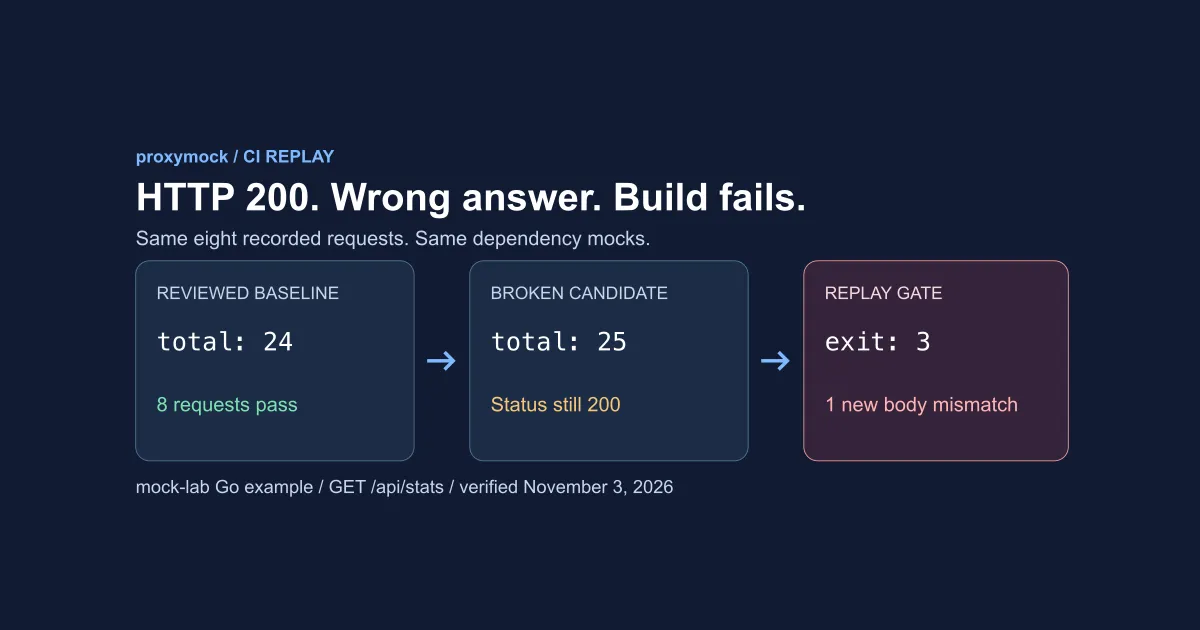
--baseline ci/baseline --fail-on-new-mismatchThese are options for proxymock replay, not a standalone shell command. The verdict reference documents exit 3 for a new mismatch. Keep all nonzero exits as failures and inspect the verdict, goals, and observed responses. A completed replay or zero transport failures alone doesn’t establish response compatibility.
That tutorial’s controlled local verification used proxymock v2.5.1250 and eight synthetic mock-lab requests. Changing the project total from 24 to 25 introduced one stable-body mismatch while the API still returned HTTP 200. The unchanged and restored candidates exited 0; the broken candidate exited 3. The flags and exit codes were checked against the v2.5.1274 help and verdict reference, but the pass/fail/pass run was not repeated on that release. Run it on your installed version before relying on the exit codes. This is reused functional evidence from that example, not a production benchmark.
Review changes to the gate, recording, blueprint, and baseline independently of the candidate. Recreating the baseline from the candidate can approve the same bug you wanted to reject. Keep artifacts from failed runs and restrict access when their responses contain sensitive data.
Comparing traffic replay tools
Choose a tool based on the interaction you need to reproduce and the result you need to inspect. This is a workflow comparison, not a benchmark of equivalent coverage.
| Tool | Relevant workflow | Boundary to check |
|---|---|---|
| GoReplay | Capture and replay HTTP traffic; filter or rewrite selected request data. | Verify edition-specific features, application checks, and how dependencies will be handled. |
| AREX | Java-agent recording and replay with supported dependency mocks. | Check the supported Java frameworks and dependencies for your application. |
| WireMock | Record HTTP interactions and serve them as response stubs. | Configure matching, templating, and test assertions; serving a recorded stub is different from replaying inbound tests against your app. |
| Speedscale | Capture and replay Kubernetes service traffic with configured transforms and dependency mocks. | Verify capture support, workload routing, assertions, and the final report for your deployment. |
proxymock | Record locally, mock dependencies, and replay application requests; integrate with paid CI workflows. | Verify client routing, unmatched-request behavior, baseline checks, and licensing. |
GoReplay documents programmable middleware for request and response processing. WireMock supports response templating, including values derived from a request. Check those capabilities before assuming recorded traffic requires a different product.
For a Kubernetes-focused comparison, see GoReplay vs Speedscale. For HTTP stub selection, use the existing WireMock comparison. For the local-versus-cluster decision, start with the task selector at the top of this guide.
Features to verify in a traffic replay tool
Data transforms and filtering
Check which requests the replay selected and which values the transforms changed. Retain assertions on the fields that matter to your requirements. Exclude irrelevant health checks deliberately, and confirm that filtering hasn’t removed the failure case you wanted to test.
Automatic mocks
Recorded responses reflect the dependency at capture time. They can become stale and do not include every possible error. Inspect unmatched calls and choose their handling explicitly.
With proxymock, mock --no-passthrough rejects unmatched requests reaching its proxy rather than forwarding them to the real dependency. This does not block application connections that bypass the proxy. Verify routing and apply network restrictions where the test requires them.
Test configurations and results
Choose the goals and comparison settings explicitly. Confirm that a deliberately wrong response fails before making replay a required job. Inspect response values as well as process exit codes. Exportable configuration and retained results help another developer reproduce the same check.
Infrastructure and data handling
Local, hosted, and BYOC workflows have different storage and operational boundaries. Check where recordings, reports, credentials, and telemetry go. Local recording does not imply that every feature is offline, and a statement that no data ever leaves your network needs deployment-specific evidence.
Get started with the existing proxymock example
Follow the installation guide and activate a new workstation with proxymock init. Reuse an existing valid configuration where appropriate. You need the runtime for your chosen app and free local ports for the example.
Check the installed command interface before using it:
proxymock version --client
proxymock record --help
proxymock mock --help
proxymock replay --help
For a local capture, use the Go walkthrough. It shows the app, recording prompt, replay, and token/order correlation. For a reproducible failure gate, use the CI tutorial. It pins the app revision, provides the complete script, and shows the expected pass/fail/pass results. You can run its local steps without creating a hosted pipeline.
Eligible local recording, mocking, and replay are free under Speedscale’s terms. Free commercial use requires an organization with fewer than 250 employees worldwide and less than US $10,000,000 in annual revenue, counting affiliates; client work has its own condition. Check the terms, which can change, for the current limits. proxymock is proprietary software. Non-interactive CI requires proxymock Pro or Speedscale Enterprise, plus the appropriate API-key setup. Free local activation does not grant CI or cloud-tenant access. See current pricing for the separate platform plans.
Frequently asked questions
What is API replay?
API replay sends previously captured API requests to a running target application. In a testing workflow, you inspect its responses against selected expectations or a reviewed baseline. Speedscale and proxymock provide capture, dependency-mocking, and replay workflows for different environments.
What is replay traffic?
Replay traffic is saved request data used to drive another run. A recording can also contain the original responses and dependency interactions used for comparisons or mocks. Review sensitive data, credentials, and dynamic values before using it elsewhere.
What is replay testing?
Replay testing exercises an application with saved interactions and checks the observed behavior. proxymock can replay inbound requests while recorded responses supply dependencies. The result applies to the selected inputs, mock configuration, and assertions; it doesn’t establish complete correctness.
What are the different types of API testing that use traffic replay?
Recorded traffic can drive regression, load, migration, and fault-handling tests. Each needs appropriate configuration and acceptance criteria. Schema conformance requires contract validation, and a functional replay result does not establish performance capacity.
How does API traffic replay differ from API mocking?
API mocking supplies dependency responses. Inbound replay acts as a client of the application under test. With proxymock, mock serves the dependency responses and replay sends the recorded client requests. A test can use both together; starting the mock server alone does not execute that test.