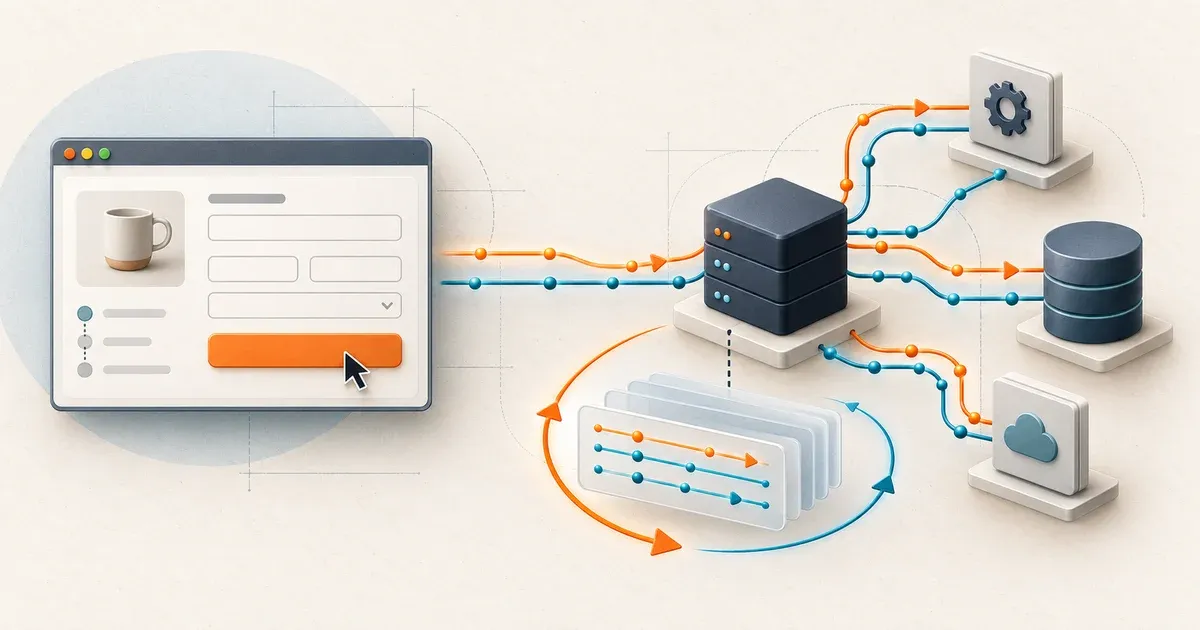
TestInspector vs Speedscale: Backend Testing Compared
A checkout test can click every button and still miss the backend regression that breaks your release. A TestInspector vs Speedscale evaluation starts with the failures you need to reproduce. Are you checking a user journey, changed API behavior, or a service that slows down under load?
For API regression, dependency isolation, and load testing with realistic requests, we recommend starting with Speedscale. TestInspector deserves consideration for teams whose main gap is browser automation. Those recommendations follow from the tools’ documented workflows, rather than a measured head-to-head benchmark.
- Speedscale’s local tool,
proxymock, records, mocks, and replays without Kubernetes. Docker workflows are documented too. - Both products offer AI-assisted workflows. Speedscale combines them with captured requests, responses, and dependency behavior.
- TestInspector’s browser steps, visual comparisons, and accessibility checks serve a different need from backend replay and dependency simulation.
We build Speedscale. We checked both products’ documentation on October 27, 2026. Astaqc’s August 2026 comparison contains descriptions of Speedscale that conflict with its current capabilities. The corrections below describe what is documented today; they do not establish when each feature first shipped.
What TestInspector actually offers
TestInspector turns a description into an editable sequence of test actions. Its AI generation documentation describes creating suites, tests, and steps, then presenting a preview for review. Its runner documentation lists Chrome, Firefox, Safari, and Edge.
That is useful for a QA engineer who understands a checkout flow but wants help turning it into automation. Generating steps can happen before deployment; executing those browser or API checks still needs a reachable application. TestInspector also documents screenshot comparisons with structural similarity, configurable thresholds, and excluded regions, plus an accessibility action.
It offers API checks too. Its GET action sends a request and checks a status or response body. You can seed data before a browser flow or check a backend effect afterward. Both products therefore cover HTTP validation; the original comparison draws too absolute a boundary between their coverage.
There is a distinction here: that HTTP action makes its own request outside the browser page. A successful follow-up API check does not, by itself, prove that the browser sent the correct request, headers, or payload during the original interaction. Testing the resulting state and observing the actual exchange answer different questions.
TestInspector also provides a practical exit path. Its export documentation lists Playwright TypeScript, Selenium formats, and TestInspector JSON, with Gherkin available to copy. That deserves credit when evaluating portability.
Where the original comparison needs correction
Kubernetes is an option, not a universal prerequisite
The article’s Kubernetes-only restriction is incorrect for Speedscale’s current product family. The installation guide explicitly covers local recording, dependency mocking, and replay through proxymock. The Docker guide includes Docker Compose.
Speedscale’s cluster operator and local CLI have different setup requirements. A developer can begin on a laptop. This does not imply universal support for every serverless runtime; you still need a supported way to capture or supply traffic and reach the replay target.
Sidecar injection is not the only collection method
The sidecar-only description is also incomplete. Speedscale documents an eBPF collector that runs as a Kubernetes DaemonSet and observes traffic without a proxy sidecar in each application pod.
Check the documented kernel, architecture, and runtime requirements before choosing it. TLS visibility depends on the capture mechanism, and JVM capture can require an instrumentation agent and restart. Local proxy recording remains a separate workflow.
AI assistance and traffic replay work together
Presenting AI-driven authoring and traffic-based testing as competing categories leaves out Speedscale’s AI interfaces. Its dashboard assistant can search traffic, configure tests, initiate replays, and analyze reports through natural language.
The built-in Model Context Protocol server also lets coding assistants work with local recordings, tests, and mocks. The useful advantage is the evidence available to the assistant: actual request and response data can guide a test and explain a failure.
Capture is not the only starting point
The article’s test-source comparison omits specification-based generation. Speedscale documents OpenAPI mock generation without first recording traffic. The CLI reference also documents inbound test generation:
proxymock generate --direction inbound --out ./api-tests ./openapi.yamlGenerated tests need review. A schema provides structure and examples; a recording provides observed behavior. Neither automatically establishes the correct business outcome. Having both starting points lets you supplement recorded coverage when a service or endpoint is new.
Scheduling extends beyond deployment triggers
The scheduling row understates Speedscale’s options. Speedscale schedules support cron expressions and predefined intervals, including actions to create snapshots and run replays independently of CI.
That supports a useful backend workflow: refresh a representative dataset and validate a candidate regularly, even when deployment events are infrequent.
Exports include executable testing formats
The export row is incomplete as well. Speedscale’s export documentation lists k6, Gatling, Locust, Postman, and WireMock workflows from cloud snapshots or local recordings.
For teams with existing test infrastructure, captured traffic can become inputs for familiar runners and dependency mocks. TestInspector’s Playwright export is valuable for browser suites; Speedscale’s exports are valuable for backend testing infrastructure.
For a concrete export workflow, see how to turn a captured API session into a Datadog Synthetics test.
Why backend teams should favor Speedscale
Speedscale captures both sides of a service interaction: inbound requests to exercise the application and outbound dependency exchanges to simulate its surroundings. Its local architecture documentation explains how those recordings become tests and mocks.
Consider a hypothetical pricing change. Your service receives a checkout request, calls a tax API, and returns an order total. A browser test might verify the displayed total for one chosen account and cart. That is valuable acceptance coverage.
A representative recording can add the other request shapes and dependency responses your service actually encountered. Replaying it against the changed implementation lets you examine behavior beyond the scenario someone remembered to describe. This benefit depends on what you captured: an unrecorded customer case still needs another test.
Dependency simulation makes those cases easier to repeat. You can supply recorded tax-service responses while exercising the candidate application’s logic. That reduces dependence on a shared sandbox’s availability or changing data. It also gives you a way to reproduce a specific dependency response instead of hoping the external service returns it again.
The backend scope extends beyond HTTP checks. Speedscale’s technology matrix documents gRPC support and recording and mocking for PostgreSQL, MySQL, MongoDB, and Redis. Check the protocol-specific limits and distinguish capture from replay support when evaluating your stack.
For load testing, the distinction is sharper. Astaqc’s own modernization guide directs concurrent-user and throughput testing to dedicated tools. Speedscale includes replay controls for concurrency and duration in its CLI reference.
Keep correctness and performance runs distinct. The CLI’s --load-test mode omits response matching for higher throughput. A load run therefore needs a separate correctness check, and a performance comparison needs controlled data, dependency behavior, and sufficient generator capacity.
The practical result is a backend testing workflow that starts with realistic traffic, supports isolated reproduction, and extends into performance evaluation.
Compare the evidence each test produces
Use this table as a shortlist, with the documentation above supplying the details. Feature availability and setup depend on the workflow and plan you choose.
| Evaluation need | TestInspector | Speedscale |
|---|---|---|
| Author a browser journey from prose | Documented AI-generated steps | AI assistance centers on traffic, mocks, replay, and analysis |
| Check visual changes and accessibility | Documented screenshot comparison and accessibility action | Use dedicated browser checks alongside backend validation |
| Check HTTP behavior | Explicit request steps and expected values | Recorded request replay and response comparison; specification-based generation also available |
| Reproduce dependency responses | No equivalent traffic-derived virtualization workflow found in the reviewed docs | Captured outbound exchanges become dependency mocks |
| Exercise concurrent backend traffic | Astaqc directs load testing to other tools | Replay supports concurrency and duration controls |
| Start outside Kubernetes | Browser-based service; desktop download also offered | Local CLI and Docker workflows |
TestInspector’s desktop download page advertises local execution too. Its virtualization capabilities remain unverified: the reviewed documentation does not establish whether it offers an equivalent workflow.
The limits worth checking in a trial
TestInspector reduces the need to maintain framework code, but its documentation does not support a maintenance-free promise. Its self-healing guide describes an opt-in agent that can update steps after layout or element changes, does not enter credentials, and stops after five minutes.
Its troubleshooting guide still asks users to handle selectors, waits, test data, and sign-in. Each test starts a fresh browser session. Those are ordinary testing responsibilities that survive a change in authoring interface.
There are details to validate for API-heavy scenarios. The POST action reference says variables resolve in the URL and expected value, while headers and body are sent as written. That is narrower than the general variable support might suggest. Confirm your authentication and data-chaining workflow in a trial.
Speedscale needs deliberate setup too. Representative recordings, fresh credentials, dynamic identifiers, and mock matching require attention. Its editing and transformation workflow provides controls for changing test data and applying reusable rules. Replaying an existing bug faithfully does not make it correct.
Check data boundaries for either product. TestInspector’s DPA describes processing test configurations and screenshots and lists cloud storage and AI-provider categories. Speedscale documents local traffic privacy, DLP, and Enterprise BYOC storage options. Local recording still involves telemetry and account validation; customer-owned storage does not imply a disconnected control plane.
Try the same backend change locally
Choose one service and a small, representative recording containing inbound requests. Start with the known-good version, then save a baseline:
proxymock replay \
  --in ./proxymock/recorded-example \
  --test-against http://localhost:8080 \
  --out ./proxymock/results/baseline
Run the changed version against the same prepared data and dependency configuration:
proxymock replay \
  --in ./proxymock/recorded-example \
  --test-against http://localhost:8080 \
  --out ./proxymock/results/candidate \
  --baseline ./proxymock/results/baseline \
  --fail-on-new-mismatch
The replay verdict documentation explains the gate: a new mismatch produces exit code 3. An ungated mismatch alone does not make the command fail. Keep replay-verdict.json with the observed responses so a reviewer can inspect the result.
These commands target a running local service. They do not configure dependency isolation themselves; set up the mocks and application routing first if isolation is part of your evaluation. The CI/CD guide documents pipeline integration and its account prerequisites.
Then evaluate your browser tool against the user-facing checks you need. Compare the failures each workflow catches, the evidence it preserves, and the work required to reproduce a failure.
Frequently asked questions
Does Speedscale require Kubernetes?
No. Speedscale’s proxymock CLI supports local recording, dependency mocking, and replay without Kubernetes. Docker and Docker Compose workflows are also documented. Cluster orchestration has separate setup requirements.
Can TestInspector test APIs without a UI?
Yes. TestInspector’s HTTP request steps can check a response status or body without driving a UI interaction. Those steps issue their own requests; a successful check does not establish what the browser sent during an earlier interaction.
Does Speedscale need production traffic before you can start testing?
No. proxymock can generate mocks and inbound test definitions from an OpenAPI specification. Use inbound generation for replayable tests. Review generated values and expected outcomes; schema-based examples and captured traffic provide different kinds of coverage.
Which tool is better for API load testing?
Speedscale is the stronger fit for replaying API traffic under load. Its CLI supports virtual users and duration controls. Astaqc directs TestInspector users to dedicated tools for concurrent-user and throughput testing. High-throughput proxymock load mode skips response matching, so validate correctness separately.
Does Speedscale work with AI coding assistants?
Yes. Speedscale has a dashboard AI assistant, and proxymock exposes recording, mocking, and replay tools through Model Context Protocol. This lets supported coding assistants work with captured traffic. Review the assistant’s output against replay results.
Can you use TestInspector and Speedscale together?
Yes. Use TestInspector for browser journeys and Speedscale for API replay, dependency simulation, and load testing. Both can contribute to a release check, with each test covering its own failure modes. Decide which results should block a release and retain the evidence from each tool.
TestInspector vs Speedscale: which should you choose?
For TestInspector vs Speedscale, our recommendation follows the risk. Start with TestInspector when your main requirement is accessible browser authoring, visual comparison, and UI acceptance checks. Start with Speedscale when you need to validate API changes against observed behavior, reproduce dependency interactions, or evaluate performance using realistic requests.
Browser checks can sit alongside that backend workflow. A passing user journey becomes more useful when you can also investigate the requests and dependencies behind it.
Start with the local proxymock quickstart and bring one backend change you want to prove safe.
Research checked October 27, 2026. This is a documentation-based comparison, supplemented by a local CLI check of generation and replay gates. We did not run a paid TestInspector evaluation or a comparative performance benchmark. Undocumented capabilities remain unverified.