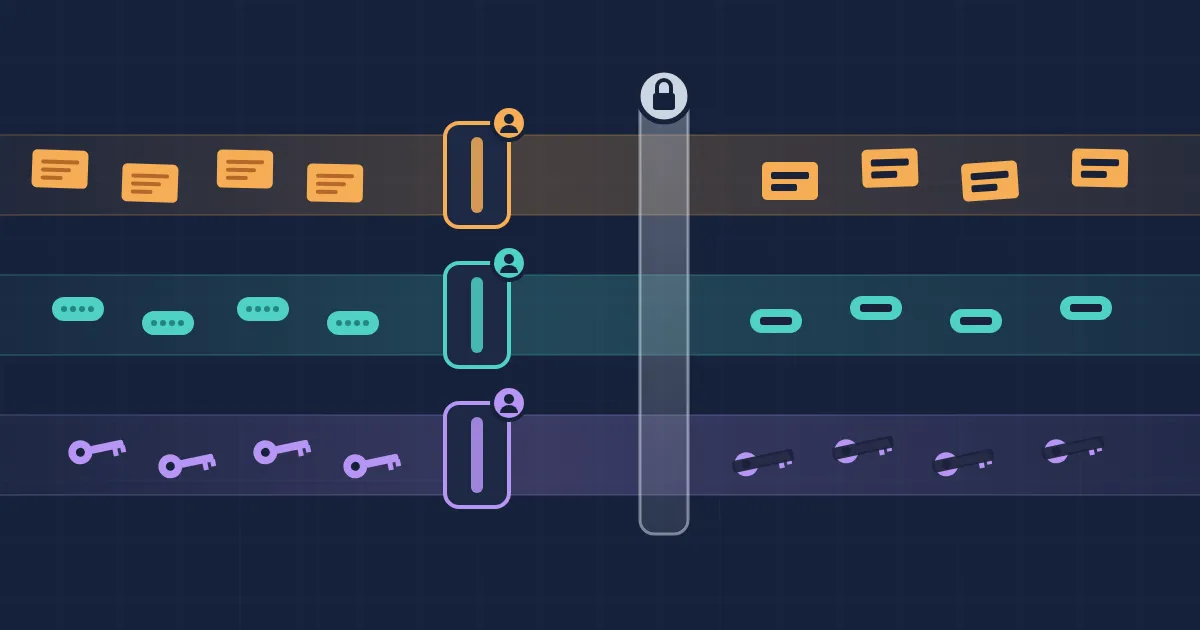
Team-Based DLP: Give Each Group Its Own Redaction Rules
A shared Kubernetes cluster rarely belongs to one team. Payments runs checkout in one namespace, search runs
search-api in another, and a risk team runs a scorer somewhere else. One Speedscale forwarder captures API
traffic for all of them.
Redacting that traffic before it leaves the cluster is what makes it safe to use for testing (the background is in
The PII Testing Dilemma). Until now, that forwarder ran exactly one DLP rule. Every team that needed a field redacted had to edit the same
JSON document. Payments adds cardnumber. Search adds querytoken. Someone cleans up a list they do not recognize,
and a field another team depended on is back in the clear.
This post introduces group rules, Speedscale’s take on team-based DLP: rules that each team owns, scoped to the workloads that team runs. It covers how other DLP products handle the same problem, why splitting policy by owner works better, and how to set it up in proxymock web and the Speedscale dashboard.
One policy document does not scale past one team
A single shared DLP rule fails in predictable ways:
- Edits collide. Two teams change the rule the same week, and the second save wins.
- Nobody owns a line. Six months later, nobody can say why
x-partner-refis on the list or whether it is safe to remove. - Changes need everyone’s agreement. A field that only matters to payments still means editing a rule that protects every team’s traffic. So people stop editing it, and new sensitive fields never get added.
- Access is all or nothing. Letting payments maintain its redaction means letting payments edit everyone’s.
None of this is a tooling bug. It is what happens when a policy has many stakeholders and a single document.
How other DLP tools split policy by owner
The rest of the DLP market hit this problem long ago, and each product answers it in its own way.
Microsoft Purview scopes DLP policies with administrative units, subsets of the Entra ID directory usually drawn along business or regional lines. An admin restricted to one unit can create policies only for that unit and sees only the alerts those policies raise.
Google Cloud Sensitive Data Protection goes the other way and centralizes. Inspection and de-identification templates are created at the organization or folder level and guarded by IAM. Jobs reference a template instead of carrying their own settings, so a compliance team can change a rule once and every job that uses it picks up the change.
Datadog Sensitive Data Scanner organizes rules into
scanning groups. Each group has
a query filter that decides which logs, traces and events it scans. Editing any group needs the
data_scanner_write permission.
Two patterns come out of this. Scope the policy to the thing a team owns, and keep a central baseline that everyone inherits. Speedscale group rules do both, for a different kind of data: captured API traffic. The scope is a Kubernetes workload rather than a directory group or a log query, and the rule is applied by the forwarder inside your cluster, before captured traffic leaves it.
Baseline plus group rules
Speedscale now splits DLP into two layers.
The baseline is the rule the forwarder has always run, named by the SPEEDSCALE_DLP_CONFIG setting. It applies
to every request the forwarder captures. Keep it small and organization-wide: authorization, password, ssn.
Group rules add redaction for one group’s workloads. A group rule is a normal DLP rule with three extra fields:
{
  "id": "payments",
  "name": "payments group redaction",
  "owner": "payments-group",
  "enabled": true,
  "scope": {
    "namespaces": ["payments", "payments-canary"],
    "services": ["checkout"]
  },
  "redactlist": { "entries": { "all": ["cardnumber", "cvv"] } }
}scopenames the clusters, namespaces and services the rule covers. A dimension you leave out matches anything.ownerrecords which group maintains the rule.enabledswitches it on. New group rules start off, so a half-written rule never touches production traffic.
The important part is what is missing. Nothing in the forwarder’s configuration lists group rules. A rule applies because its scope matches the traffic, so adding a team means publishing a rule, not asking an admin to change a setting.
flowchart LR
  B["Baseline: standard<br/>authorization, password, ssn"] --> R{"Forwarder resolves<br/>rules for its cluster"}
  P["payments rule<br/>scope: payments, checkout<br/>cardnumber, cvv"] --> R
  S["search rule<br/>scope: search<br/>querytoken"] --> R
  R --> T1["payments/checkout traffic<br/>baseline + cardnumber, cvv"]
  R --> T2["search traffic<br/>baseline + querytoken"]
  R --> T3["everything else<br/>baseline only"]
Redaction is additive. A group rule can redact more for its own workloads, and nothing else. It cannot switch off the baseline, and it cannot reach another team’s traffic. Two teams that share a namespace both apply, and neither has to read the other’s rule.
Why team-based DLP beats one shared rule
Changes stop being political. Payments can add cvv to its rule without a meeting, because the change cannot
affect search. Baseline edits still need wide agreement, which is appropriate for a rule everyone depends on.
Every field has an owner. When a redaction surprises someone, owner says which group to ask.
Coverage tracks the org chart as it changes. A new team publishes a rule for its namespace. A team that retires a service turns its rule off. Nobody edits a central document.
It is ready for access control. Rules are separate, owned documents, which is the shape access control needs.
Pairing DLP with role-based access is the pattern we described in
Production Data Access for Developers: RBAC and DLP.
To be clear about today: owner is a label, not a permission. Any admin can still edit any rule. The model was
designed so per-group permissions can attach to it without changing how rules work.
How to set it up in proxymock web
proxymock web is the place to write a rule next to the traffic it has to redact. Rules are workspace files at
proxymock/dlprules/<id>.json, so they can be reviewed in a pull request like any other change.
1. Create the rule. Open DLP Rules under Config and click + New. The template is already a group
rule: scoped to one namespace, enabled: false, with an empty owner. Fill in your group’s name and namespaces.
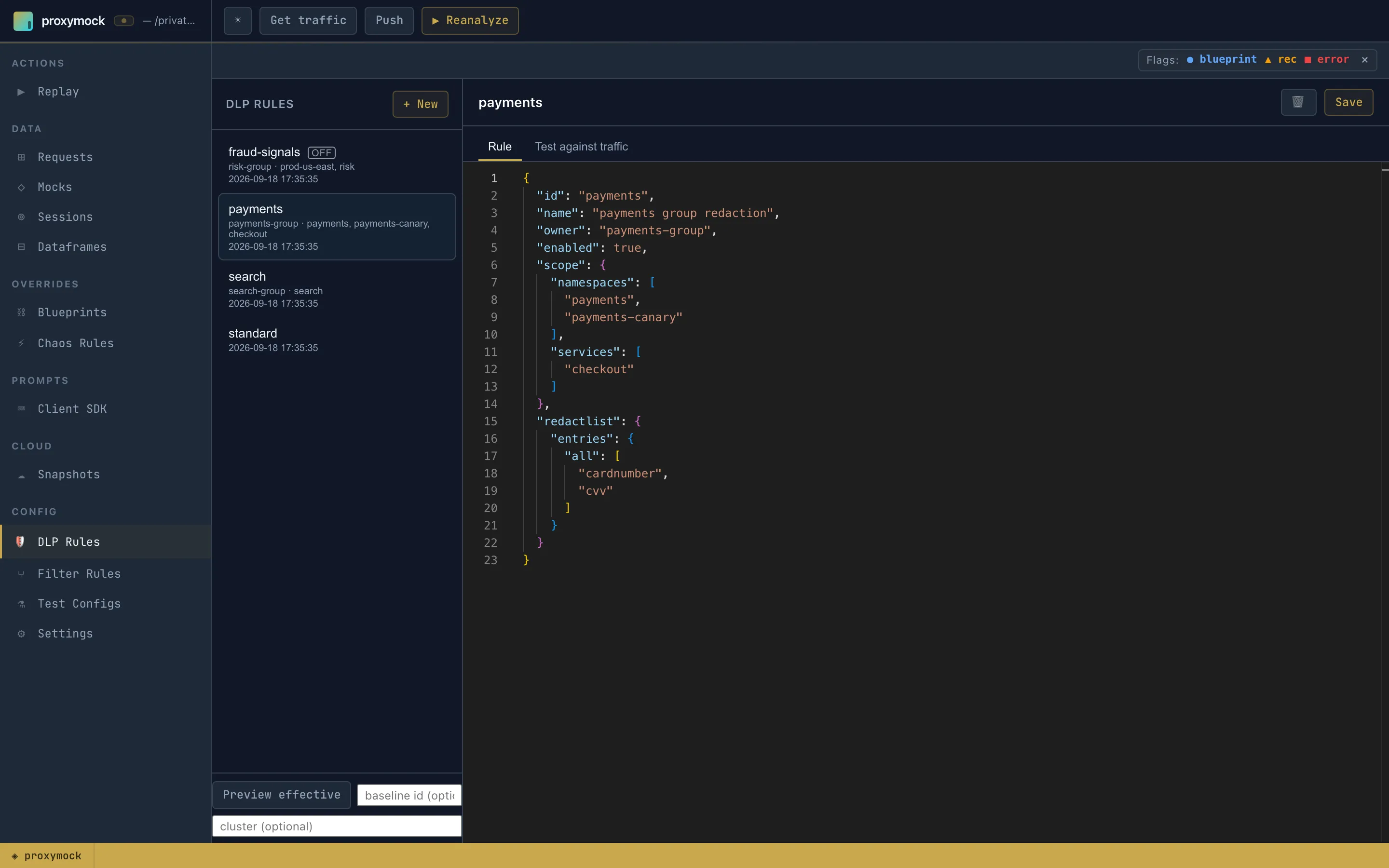
The list shows each rule’s owner and coverage. fraud-signals is marked OFF because it is not enabled, and
standard has no coverage line because it is the baseline.
2. Test it against your recordings. Open Test against traffic. Locally recorded traffic has no namespace,
so a scoped rule would match nothing. Fill in test as with a workload inside your scope, here payments and
checkout, and run the test.
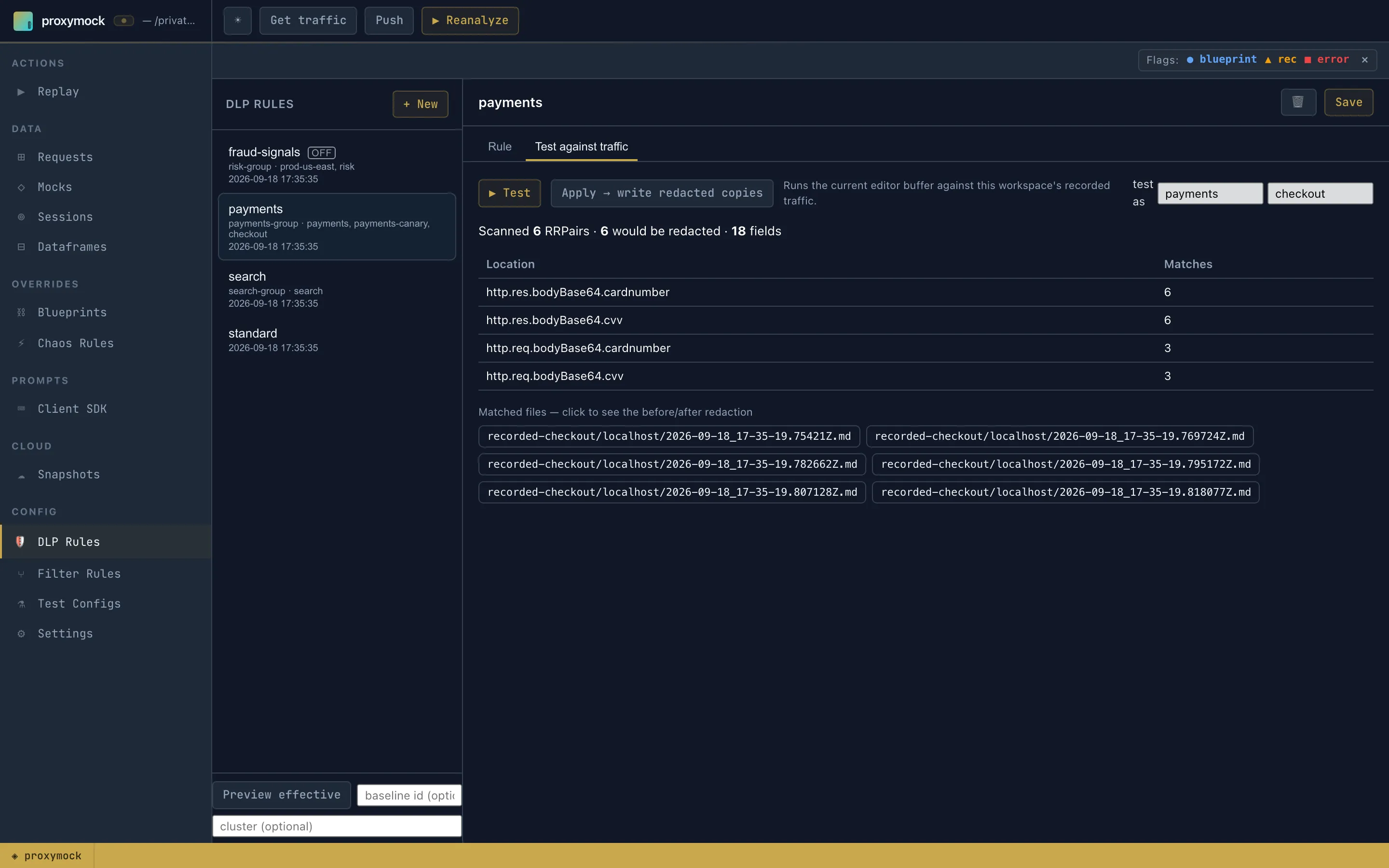
The report lists every field the rule would redact and how many requests contain it. Click a file to see it before and after redaction. Nothing on disk changes.
3. Preview what a cluster receives. Your rule is only part of what a forwarder runs. Preview effective resolves the baseline plus every enabled group rule, the way a cluster would.
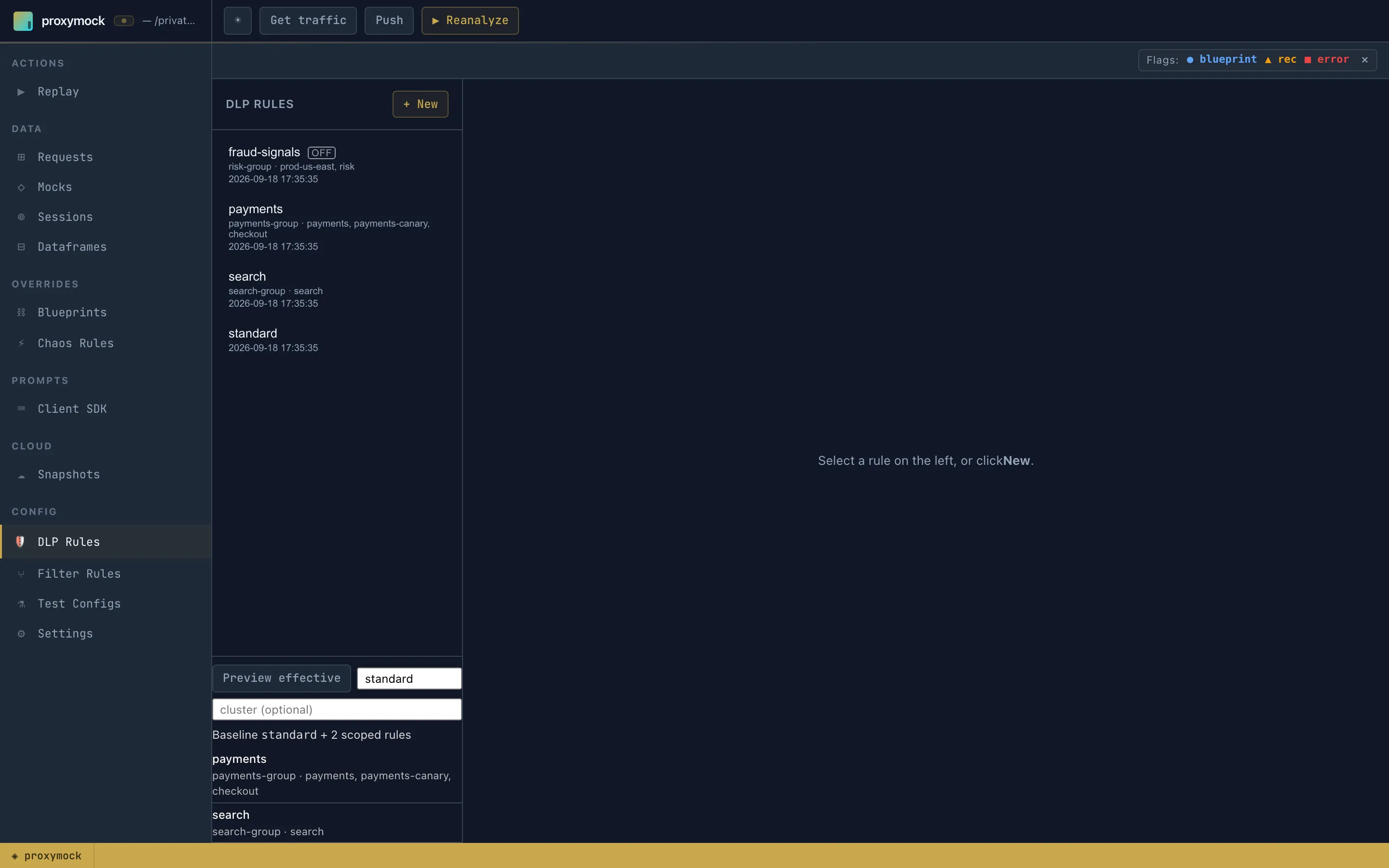
This is how you see what other groups already redact without editing their rules.
4. Enable it and ship it. Set "enabled": true, save, and push it with proxymock cloud push dlp. Or apply
it from Settings, which writes the resolved rules straight into the cluster’s speedscale-forwarder-dlp
ConfigMap.
How to set it up in the Speedscale dashboard
Teams that manage rules in Speedscale Cloud get the same model in the dashboard. Open DLP Rules, create or pick a rule, and open the Scope tab.
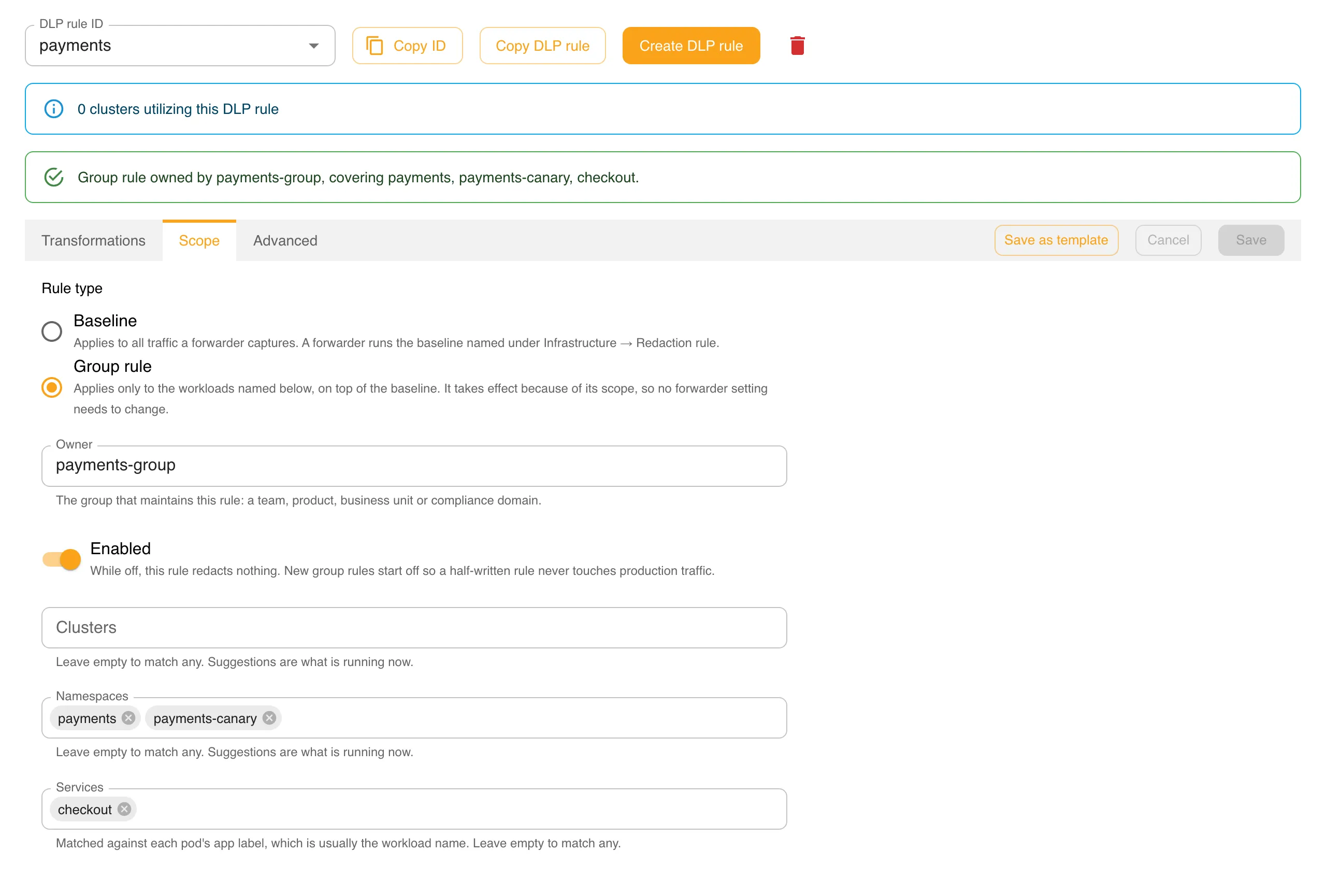
Choose Group rule, fill in Owner, and name the workloads. The summary line above the tabs states in one sentence what the rule is and what it covers.
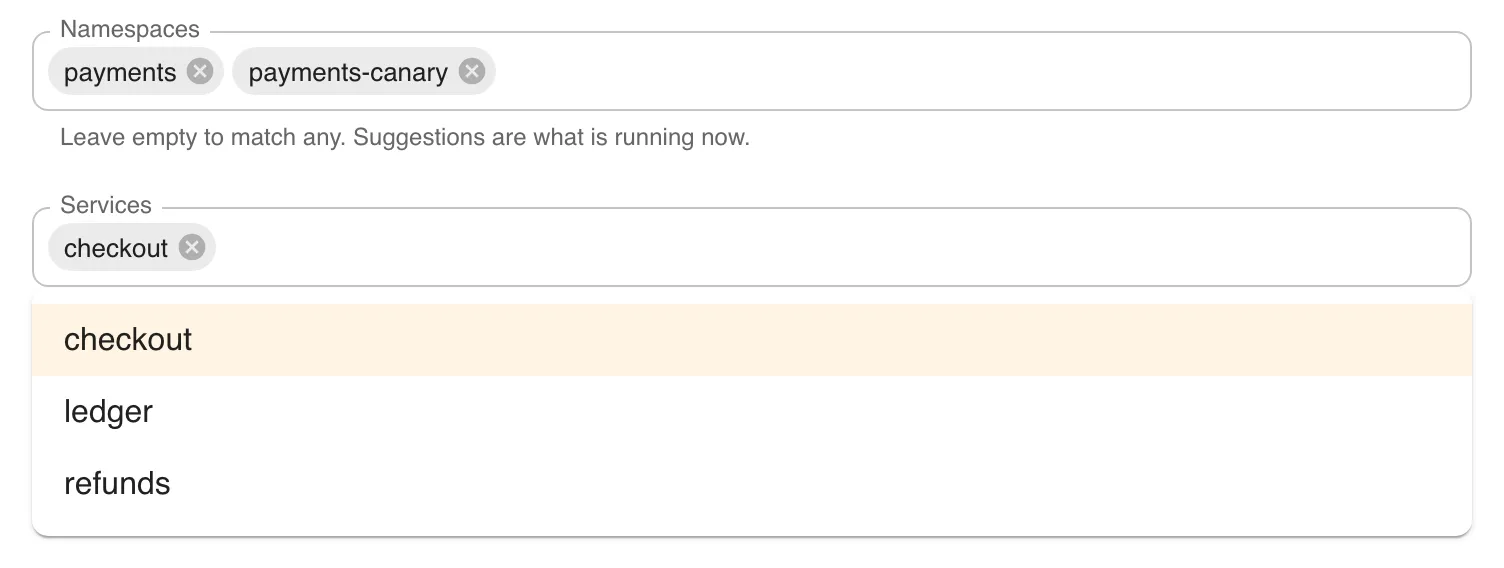
The scope fields suggest names from what is running right now, the same live lists the Infrastructure pages use. Name a namespace and Services offers the workloads in it:
Save is refused while a group rule’s scope names nothing, because a rule that applies everywhere belongs in the baseline.
When you save an enabled group rule, Speedscale Cloud combines it with each cluster’s baseline and tells the
clusters to reload. SPEEDSCALE_DLP_CONFIG never changes. Two things to know from the current release: a save
reloads the forwarder in every connected cluster, which briefly pauses capture, so batch your edits. And deleting a
rule is not pushed to clusters, so turn a rule off and save before you delete it.
Rules of thumb
- Keep the baseline small. Credentials and government identifiers go in the baseline. Fields that belong to one API go in that team’s rule.
- Scope to what you own. A wider scope does not protect more of your data. It redacts other teams’ traffic in ways they did not ask for.
- One rule per group. A rule holds a list of fields. Splitting it into a rule per field multiplies review work for no benefit.
- Turn rules off instead of deleting them. A disabled rule keeps a record of what you used to redact.
- Re-check scopes after renames. Scopes match names exactly. Rename a namespace and its traffic falls back to the baseline alone.
- Verify with a snapshot. After enabling a rule, take a snapshot and confirm your fields are redacted and other teams’ traffic is unchanged.
Get started
Group rules ship in Speedscale v2.5.1022 and later, which is needed in the cloud and on the cluster (forwarder and inspector), and in proxymock web. The full reference is in the docs:
- DLP Rules for Multiple Groups explains the baseline, scope, and how rules combine.
- Managing Group Rules in proxymock web and Managing Group Rules in the Dashboard walk through each screen.
- DLP best practices covers redaction beyond multi-team management.
If one DLP rule is holding up several teams, switch to team-based DLP and give each of them a rule of their own. For how redacted traffic then feeds replay and mocks, see DLP, Traffic Replay, and the Missing Link to Software Quality.
Frequently asked questions
What is team-based or group-based DLP?
Group-based data loss prevention splits redaction policy by who owns the data. Each team keeps its own rule, scoped to the services and namespaces it runs, instead of every team editing one shared policy document. A small organization-wide baseline still applies everywhere; each group adds redaction for its own traffic on top.
What is a DLP group rule in Speedscale?
A group rule is an ordinary Speedscale DLP rule with three extra fields: a scope naming the clusters, namespaces and services it covers, an owner naming the group that maintains it, and an enabled switch. It applies because its scope matches the traffic, so nobody has to add it to a forwarder's configuration.
Can a team's DLP rule turn off redaction for another team?
No. Redaction is additive. A group rule can only redact more than the baseline, and only for the workloads in its scope. It cannot disable the baseline and cannot reach traffic outside its scope.
How is this different from Microsoft Purview or Datadog Sensitive Data Scanner?
Purview scopes policies to administrative units built from your directory, and Datadog scopes scanning groups with a query filter over logs, traces and events. Speedscale scopes rules by Kubernetes workload and applies them in the cluster, before captured API traffic leaves it.