Spring Boot API Testing: A Practical Guide for Enterprise Teams
Enterprise Spring Boot APIs should be tested at three levels: unit tests for business logic, integration tests for external service behavior, and traffic replay for production edge cases. Most teams only do the first. This guide shows all three using a real Spring Boot application that calls external APIs (SpaceX, US Treasury) with JWT authentication. The kind of service that looks simple in development and breaks in production.
The demo application referenced throughout this guide is open source: github.com/speedscale/demo/java. Clone it and follow along.
The Testing Problem with Spring Boot APIs That Call External Services
Spring Boot makes it easy to build REST APIs. @RestController, @GetMapping, RestTemplate or HttpClient, and you have a working service in minutes. The difficulty starts when your endpoints depend on external services.
Consider a typical enterprise Spring Boot controller:
@GetMapping("/treasury/max_interest")
@ResponseBody
public TreasuryResponse.Record interest() {
    Calendar firstOfYear = Calendar.getInstance();
    firstOfYear.set(Calendar.DAY_OF_MONTH, 1);
    firstOfYear.set(Calendar.MONTH, 1);
    try {
        TreasuryResponse resp = Treasury.interestRates(firstOfYear.getTime());
        TreasuryResponse.Record max = resp.data.remove(0);
        for (TreasuryResponse.Record record : resp.data) {
            if (max.avg_interest_rate_amt < record.avg_interest_rate_amt) {
                max = record;
            }
        }
        return max;
    } catch (Exception e) {
        log.catching(e);
    }
    return null;
}
This endpoint calls the US Treasury API, parses the response, and returns the security with the highest interest rate. It works in local development. The unit test passes. Then in production:
- The Treasury API changes its response format and your deserialization breaks silently
- The API returns an empty
dataarray andresp.data.remove(0)throwsIndexOutOfBoundsException - The API is down and the catch block returns
null, which your frontend doesn’t handle - Network latency spikes from 50ms to 3 seconds and your service times out
These are not hypothetical. Every enterprise team running services that depend on external APIs has hit some variation of these failures. Unit tests do not catch them because unit tests do not call the real API.
Unit Tests: What They Cover and What They Miss
Unit tests in Spring Boot verify your business logic in isolation. For the Treasury example, a unit test might look like:
@Test
void shouldReturnHighestInterestRate() {
    TreasuryResponse response = new TreasuryResponse();
    response.data = new ArrayList<>();

    TreasuryResponse.Record low = new TreasuryResponse.Record();
    low.avg_interest_rate_amt = 1.5f;
    low.security_desc = "Treasury Bills";

    TreasuryResponse.Record high = new TreasuryResponse.Record();
    high.avg_interest_rate_amt = 4.2f;
    high.security_desc = "Treasury Bonds";

    response.data.add(low);
    response.data.add(high);

    // Test the max-finding logic
    TreasuryResponse.Record max = response.data.remove(0);
    for (TreasuryResponse.Record record : response.data) {
        if (max.avg_interest_rate_amt < record.avg_interest_rate_amt) {
            max = record;
        }
    }

    assertEquals(4.2f, max.avg_interest_rate_amt);
    assertEquals("Treasury Bonds", max.security_desc);
}
This test verifies the comparison logic works. It does not verify:
- Whether the Treasury API actually returns data in this format
- What happens when
avg_interest_rate_amtis a string instead of a float (it happens) - How your
@JsonIgnoreProperties(ignoreUnknown = true)annotation handles new fields the API adds - Whether the Jackson
ObjectMapperdeserializesrecord_datecorrectly across timezone boundaries
Unit tests verify your assumptions about external data. They do not verify the data itself.
When to use unit tests: Always. They are fast, deterministic, and catch logic errors. But stop relying on them as your only testing layer.
Integration Tests with Mocked External Services
Integration tests in Spring Boot use @SpringBootTest to stand up the full application context and test endpoints through HTTP. The key decision is how to handle external dependencies.
Option A: Mock at the HTTP level
Use WireMock or a similar tool to intercept outbound HTTP calls:
@SpringBootTest(webEnvironment = SpringBootTest.WebEnvironment.RANDOM_PORT)
class TreasuryIntegrationTest {

    @RegisterExtension
    static WireMockExtension wireMock = WireMockExtension.newInstance()
        .options(wireMockConfig().dynamicPort())
        .build();

    @DynamicPropertySource
    static void configureProperties(DynamicPropertyRegistry registry) {
        registry.add("treasury.base-url", wireMock::baseUrl);
    }

    @Test
    void shouldReturnMaxInterestRate() {
        wireMock.stubFor(get(urlPathMatching("/v2/accounting/od/avg_interest_rates.*"))
            .willReturn(okJson("""
                {
                    "data": [
                        {"avg_interest_rate_amt": 1.5, "security_desc": "Bills"},
                        {"avg_interest_rate_amt": 4.2, "security_desc": "Bonds"}
                    ]
                }
            """)));

        // Call the endpoint and assert
    }
}
This is better than unit tests because it exercises the full request lifecycle: Spring routing, security filters, Jackson serialization, and error handling. But you are still writing the mock responses by hand. If the real API returns avg_interest_rate_amt as "4.200" (a string), your handwritten mock with 4.2 (a number) won’t catch the mismatch.
Option B: Record real traffic and replay it as mocks
Instead of writing mock responses by hand, record actual API responses and replay them. This is where proxymock comes in:
# Install proxymock
brew install speedscale/tap/proxymock
Recording requires two terminal windows. In the first, start proxymock in record mode. It acts as a proxy between your app and external APIs:
# Terminal 1: start the recording proxy
proxymock record --app-port 8080
In the second terminal, start your Spring Boot app with proxy settings so outbound traffic flows through proxymock, then exercise the endpoints:
# Terminal 2: start the app and send requests
cd java/server
JAVA_OPTS="-Dhttp.proxyHost=127.0.0.1 -Dhttp.proxyPort=4140 \
           -Dhttps.proxyHost=127.0.0.1 -Dhttps.proxyPort=4140" \
  ./mvnw spring-boot:run

# Still in Terminal 2 (or a third terminal): hit the endpoints
./client/client
The recorded traffic captures the exact responses from SpaceX and Treasury APIs: real JSON structures, real headers, real status codes. Now replay those as mocks. Same two-terminal pattern:
# Terminal 1: start proxymock in mock mode (serves recorded responses)
proxymock mock --in-dir ./proxymock/recorded
# Terminal 2: start your app and test against it
./mvnw spring-boot:run
curl http://localhost:8080/treasury/max_interestYour app thinks it is talking to the real Treasury API, but proxymock is serving the recorded response. This catches deserialization failures, contract mismatches, and edge cases that hand-written mocks miss.
The demo app already supports this. The java/Makefile includes make local-capture and make local-replay targets that configure the JVM proxy settings for Speedscale capture and replay.

Traffic Replay for Production Edge Cases
Unit tests verify logic. Integration tests verify wiring. Traffic replay verifies behavior against reality.
The gap between integration tests and production is the traffic itself. Production requests include:
- Authentication edge cases: Expired tokens, malformed Bearer headers, tokens with unexpected claims
- API response variations: Empty arrays, null fields, extra fields your
@JsonIgnorePropertiessilently drops, paginated responses that change between calls - Timing patterns: Concurrent requests that hit race conditions, slow responses that trigger timeouts, retry storms after a dependency blip
- Data shapes you never anticipated: Unicode in fields you assumed were ASCII, extremely large payloads, requests with duplicate query parameters
You cannot write integration tests for edge cases you have never seen. But you can capture production traffic and replay it.
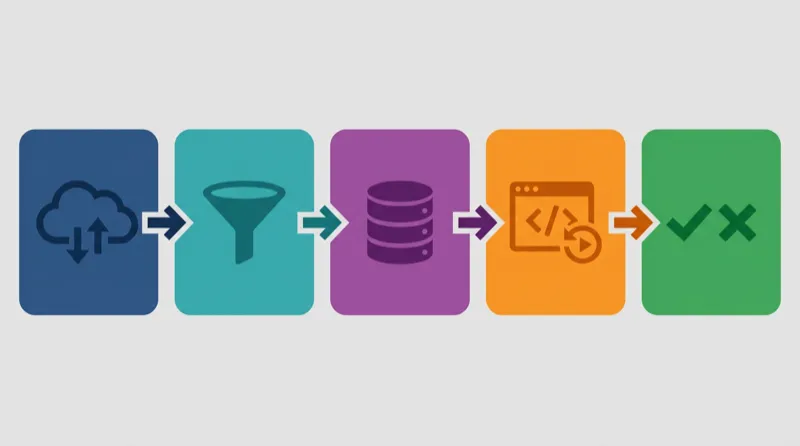
Capturing traffic from your Spring Boot service
With the Speedscale operator installed on your Kubernetes cluster, traffic capture is automatic:
# Deploy the demo app
cd java
make kube NAMESPACE=demo

# Traffic is captured via eBPF -- no sidecars, no code changes
# Let it run under real traffic for a few hours
Or capture locally with proxymock as shown in the previous section.
Replaying against code changes
When you or an AI coding tool makes changes to the service, replay the captured traffic to verify nothing broke:
# Replay captured production traffic against your local build
proxymock mock --in-dir ./proxymock/recorded
./mvnw spring-boot:run

# Compare responses to the baseline
proxymock replay --in-dir ./proxymock/recorded --test-against http://localhost:8080
The diff shows every response that changed, field by field. If your code change altered the Treasury endpoint to return a different date format, the diff catches it before production does.
Testing JWT Authentication in Spring Boot
The demo app uses JWT with both HMAC and RSA signing. The JwtFilter protects all endpoints except /login, /healthz, and /rsaToken. This is a common pattern in enterprise Spring Boot apps, and it creates testing challenges:
- Token generation depends on time. JWTs have
iat,exp, andnbfclaims. Tests that hardcode tokens break when they expire. - Token validation depends on secret management. The HMAC secret and RSA keys must match between generation and validation.
- The filter bypasses certain paths. Changes to the URL-matching logic in
shouldNotFilter()can silently expose or block endpoints.
@Override
protected boolean shouldNotFilter(HttpServletRequest request) {
    String uri = request.getRequestURI();
    switch (uri) {
        case "/login":
        case "/healthz":
        case "/rsaToken":
            return true;
        default:
            return false;
    }
}
Traffic replay handles JWT testing naturally. Recorded traffic includes the full authentication flow: login, token receipt, and authenticated requests. When replaying, the token generation and validation happen live against your app’s current code. If someone changes the HMAC secret, the filter logic, or the token expiration, the replay catches it because the recorded client flow stops working.
For AI-generated code, this is especially important. An AI coding agent might refactor JwtFilter and accidentally remove a case from the switch statement, or change the token extraction logic from tokenHeader.substring(7) to a regex that handles edge cases differently. Static analysis sees valid code. Traffic replay sees the 403 responses.
What This Looks Like in CI/CD
A practical Spring Boot testing pipeline integrates all three layers:
# .github/workflows/test.yml
name: Spring Boot API Tests
on: [pull_request]

jobs:
  test:
    runs-on: ubuntu-latest
    steps:
      - uses: actions/checkout@v4

      - name: Set up Java 17
        uses: actions/setup-java@v4
        with:
          java-version: "17"
          distribution: "temurin"

      # Unit tests
      - name: Unit tests
        run: cd java/server && ./mvnw test

      # Integration tests with recorded mocks
      - name: Start mock server
        run: proxymock mock --in-dir ./java/proxymock/recorded &

      - name: Integration tests
        run: cd java/server && ./mvnw verify -Pintegration

      # Traffic replay validation
      - name: Replay production traffic
        run: |
          cd java/server && ./mvnw spring-boot:run &
          sleep 10
          proxymock replay \
            --in-dir ./java/proxymock/recorded \
            --test-against http://localhost:8080
Each stage catches a different class of failure. Unit tests catch logic bugs in seconds. Integration tests catch wiring and serialization issues. Traffic replay catches behavioral regressions against real-world conditions.
Getting Started with the Demo App
Clone the repository and try it yourself:
git clone https://github.com/speedscale/demo.git
cd demo/java

# Run locally
make local

# In another terminal, exercise the endpoints
make client

# Try with proxymock recording
make local-capture
# (In another terminal)
make client
The demo app is a Spring Boot 3.1 application with:
- External API integrations: SpaceX API for launch/ship data, US Treasury API for interest rates
- JWT authentication: HMAC and RSA signing with a security filter
- Kubernetes manifests: Ready for cluster deployment with
make kube - Docker support:
make composefor containerized local development proxymockintegration:make local-captureandmake local-replayfor traffic recording
It is intentionally representative of a real enterprise service: external dependencies, authentication, and the kind of controller logic that works perfectly with test data and breaks with production data.
Key Takeaways
Unit tests are necessary but not sufficient. They verify logic, not integration behavior. Every Spring Boot service that calls external APIs needs testing beyond @Test.
Hand-written mocks drift from reality. The moment the external API changes and your mock doesn’t, your tests give false confidence. Record real responses instead.
Traffic replay catches what you can’t anticipate. Production edge cases are, by definition, cases you didn’t think of. Capturing and replaying real traffic is the only way to test against them.
Start with one service. Pick the Spring Boot service that has caused the most production incidents. Record a week of its traffic. Replay it against the next code change. The first replay will surface failures that passed every other test.
For more on why AI-generated code makes this testing gap worse, read Silent Failures: Why AI Code Breaks in Production.
For enterprise teams evaluating runtime validation alongside static analysis, see Runtime Validation vs Static Analysis: Why You Need Both.
Ready to try traffic replay on your Spring Boot services? Install proxymock or book a demo for the full enterprise platform.
Frequently Asked Questions
Does traffic replay replace WireMock for Spring Boot testing?
No. WireMock is still useful for deterministic integration tests where you need precise control over responses. Traffic replay complements WireMock by providing realistic test data derived from actual API responses. Many teams use WireMock for contract tests and traffic replay for regression tests. The difference is where the mock data comes from: hand-written vs recorded from production.
What Java version does this work with?
The demo app runs on Java 17 with Spring Boot 3.1. proxymock and Speedscale work with any Java version and any Spring Boot version because they operate at the network level, not the JVM level. Your application’s HTTP traffic is captured and replayed regardless of the Java runtime.
How do you handle API keys and secrets in recorded traffic?
proxymock and Speedscale support redaction rules that strip sensitive data from recordings. API keys, passwords, and PII can be masked or replaced with tokens before the recording is stored. For the demo app, the HMAC secret is configured in application.properties and JWT tokens are regenerated during replay.
Can AI coding agents use captured traffic while generating code?
Yes. Speedscale’s MCP integration exposes captured traffic to AI agents like Cursor and Claude Code. The AI can see real request/response pairs from production while generating handler code, closing the context gap that causes most AI-generated code failures.