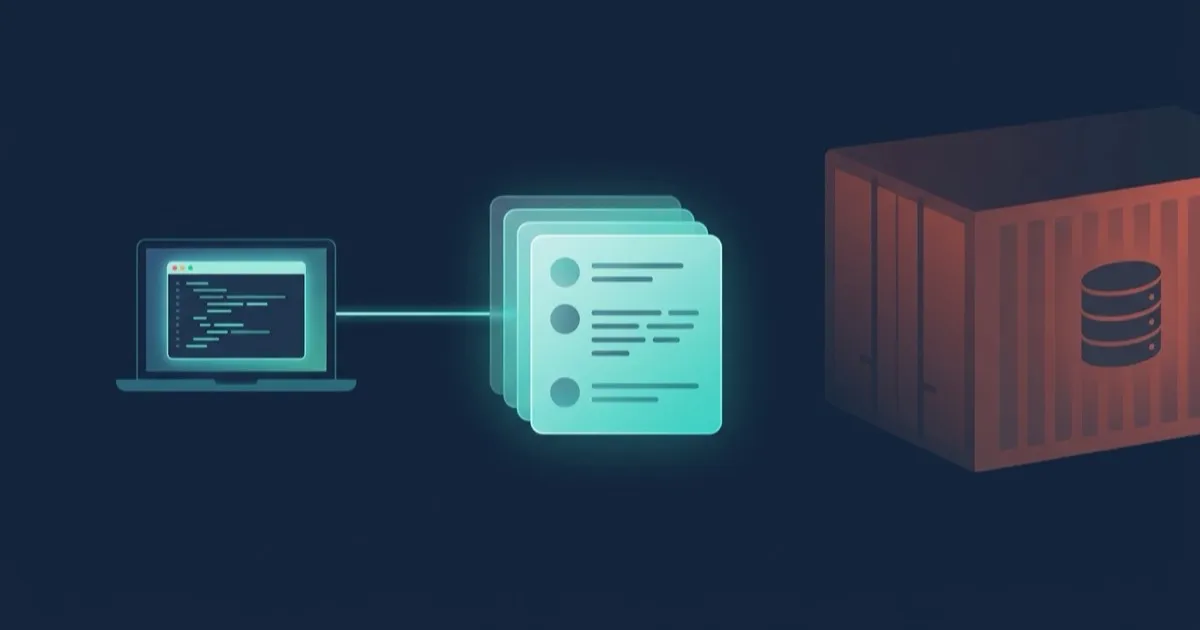
Mock an Oracle Database Without the 7 GB Container
A pull request changes one Oracle query. To test it, CI pulls a 7 GB Oracle database image, waits for it to start, loads a schema and seeds rows. Then it runs a test that takes two seconds.
Most Oracle shops live some version of this. A shared test schema that three teams write to. A DBA ticket to get a fresh one. An integration suite that fails because someone else’s test sold the last item in stock. Oracle still leads the DB-Engines popularity ranking ahead of MySQL, SQL Server and PostgreSQL, as Red Gate reported in April 2026. The database stays. The 7 GB container in every test job does not have to.
proxymock records your app’s Oracle traffic once, on the wire, then plays either side of that conversation back. Play back the server and your app runs with the Oracle database mocked. Play back the client and Oracle gets a regression test, then a load test, made of your app’s real statements.
- proxymock decodes Oracle’s TNS and TTC protocols. The lab includes a separate recording for each of the four thin drivers it demonstrates.
- An Oracle login is mutual, so the mock needs the app user’s password in a test config. The recording never holds it.
- The same recording replays your SQL against a real Oracle database as a regression test or a load test, with no app running.
- A database replay starts from the data it finds: reset the data first, or a second run fails on purpose.
This walkthrough uses the Oracle lab in mock-lab: one small shop API, written four times.
flowchart LR
    A[Shop API] -->|real Oracle calls| R[proxymock recording]
    R --> M[Mock<br/>no database]
    R --> G[Regression replay<br/>new schema or release]
    R --> L[Load test<br/>many sessions]
Set up the Oracle lab
You need Git, Make, Docker with Compose, Node.js 20 or later, and proxymock v2.5.1421 or later, initialized and on your PATH. Check the Docker daemon and the local proxymock version before cloning:
docker info --format '{{.ServerVersion}}'
docker compose version
node --version
proxymock version --client -o pretty
From the directory where you want to create a fresh copy of the lab, run:
git clone https://github.com/speedscale/mock-lab
cd mock-lab/labs/oracle
make build-node
Run the remaining commands from mock-lab/labs/oracle. The examples use the lab’s default ports and credentials. Keep ports 4143, 8080, 11521 and 15210 free for the lab. You can inspect recordings from all four drivers with the Node.js setup. To run all four apps later, install Go 1.25, JDK 17 with Maven, and Python 3.10 as well.
LLM prompt for this step
Check Git and Make, run docker info --format '{{.ServerVersion}}' and docker compose version, and confirm Node.js is 20 or later and proxymock version --client -o pretty reports v2.5.1421 or later. Check that ports 4143, 8080, 11521 and 15210 are free. Report any blockers before starting services. Clone https://github.com/speedscale/mock-lab in a fresh directory, change into mock-lab/labs/oracle, read README.md, and run make build-node. Report the versions, absolute lab path, and build result.One recording, four Oracle drivers
The lab’s shop API lists products, places orders in a transaction and runs a report through a stored procedure that returns a REF CURSOR. Each version uses its language’s usual Oracle driver in thin mode: JDBC thin (ojdbc11) for Java, node-oracledb for Node.js, go-ora for Go and python-oracledb for Python.
Same SQL, same endpoints, very different traffic. JDBC sends positional binds on every execute. node-oracledb and python-oracledb keep statements in a cache, so after the first call they send only a cursor number. They also return two rows with the execute and fetch the rest. go-ora closes each cursor in a ping that carries the close.
A mock that matched on SQL text alone would miss half of that. proxymock decodes the TNS and TTC protocols Oracle speaks, so it matches what each driver actually sent.
The lab ships one recording per app. Start the local recording viewer without starting Oracle or an app:
make webOpen the local URL printed by proxymock. In the Run selector, pick the Node.js recording and look at POST /orders: an execute of the SELECT ... FOR UPDATE, one each for the UPDATE and the INSERT, then a commit. The insert’s response holds the new order ID as its OUT bind. Compare it with the Go and Java runs. Press Ctrl+C in the viewer’s terminal when you’re done.
LLM prompt for this step
From mock-lab/labs/oracle, run make web and report the local URL. Use the Run selector to find POST /orders in the Node.js recording, then compare the Go and Java recordings. If you have no browser access, inspect the committed recording files under proxymock/ and say how you checked them. Report one concrete difference and stop the viewer when finished.Record the app and its Oracle calls
Start Oracle Database 23ai Free and load the schema:
make upThe lab binds Oracle to 127.0.0.1:15210, so it can sit next to an Oracle you already run on 1521. Now record the app:
make record APP=nodeThe Make target resets the lab schema and starts the recorder, app and request driver for you. It launches the recorder with these flags:
proxymock record --app-port 8080 --out proxymock/recording-node \
  --map 11521=oracle://127.0.0.1:15210
proxymock listens on 11521 and forwards to the database. Inbound requests come in on 4143 and reach the app on 8080:
flowchart LR
    D[drive.sh] -->|:4143| P1[proxymock]
    P1 -->|:8080| S[Shop API]
    S -->|:11521| P2[proxymock]
    P2 -->|:15210| O[(Oracle)]
The only change to the app is its connect string. Point it at the recorder’s port and keep the service name:
Java
String url = "jdbc:oracle:thin:@//localhost:11521/FREEPDB1";
Properties props = new Properties();
props.setProperty("user", "shop");
props.setProperty("password", System.getenv("DB_PASSWORD"));
Connection conn = DriverManager.getConnection(url, props);
Node.js
const pool = await oracledb.createPool({
  user: "shop",
  password: process.env.DB_PASSWORD,
  connectString: "localhost:11521/FREEPDB1",
});
Go
dsn := goora.BuildUrl("localhost", 11521, "FREEPDB1", "shop", os.Getenv("DB_PASSWORD"), nil)
db, err := sql.Open("oracle", dsn)
Python
pool = oracledb.create_pool(
    user="shop",
    password=os.environ["DB_PASSWORD"],
    dsn="localhost:11521/FREEPDB1",
)
The script drives the same 17 requests every time, including an order that sells the last chain in stock and one that then finds it sold out. It checks every response against expected.txt and fails if any differ.
The inbound recording includes GET /health. Its outbound SELECT 1 FROM dual is a connection check, so proxymock omits the SQL call and answers it directly when mocking.
LLM prompt for this step
From mock-lab/labs/oracle, run make up and wait for the lab's Oracle to become healthy and its schema to load. Then run make record APP=node. The target starts proxymock record with --app-port 8080, --out proxymock/recording-node and --map 11521=oracle://127.0.0.1:15210, launches the app and drives 17 requests. Report the recording path, the summary line, and whether the responses matched expected.txt.Run the app with the Oracle database mocked
With PostgreSQL or MySQL, a mock can accept any login. With Oracle, it can’t.
An Oracle login is mutual. The server proves it knows the user’s password, and the driver checks that proof before it signs in. A mock that does not know the password fails every login with ORA-01017.
So the mock reads the password from a test config, in the responder.oracle section. The lab’s config is proxymock/testconfigs/oracle-lab.json:
"responder": {
  "oracle": {
    "username": "shop",
    "password": "LabShop2026"
  }
}
A literal is fine for a lab. For a real app, use a secret reference such as ${{secret:oracle-credentials/password}}; see Mock a database.
The Oracle login exchange in the recording contains markers for the proof sent by each side. The password stays in the test config or your secret store. Review captured SQL and results for sensitive data before sharing a recording.
Pause the lab database before you run the app against the mock:
docker compose pause oracle && make mock APP=nodeThe Make target starts the mock with the same port map, plus the recording and the test config. It writes match results under .run/mocked-node:
proxymock mock --in proxymock/recording-node --out .run/mocked-node \
  --no-passthrough --test-config oracle-lab \
  --map 11521=oracle://127.0.0.1:15210
The node app answered all 17 requests as in expected.txt with Oracle mocked:
30 Oracle calls answered from the recording, 0 notThe app signs in, runs its transactions and its procedure, and gets every row back as Oracle returned it. With --no-passthrough, a call missing from the recording gets ORA-20999 and never reaches a database. In CI, a missing mock fails loudly instead of quietly hitting a real system.
Unpause Oracle for the rest of the walkthrough. Run this even if the mock step failed:
docker compose unpause oracleLLM prompt for this step
From mock-lab/labs/oracle, run docker compose pause oracle and confirm it succeeds before running make mock APP=node. The target uses --no-passthrough, the Node.js recording and the oracle-lab test config and writes results to .run/mocked-node. Report whether all 17 responses matched expected.txt, along with the Oracle match and miss counts. Run docker compose unpause oracle afterward even if the mock fails.Replay the SQL against Oracle
The mock tests your app with the database removed. The replay does the opposite: it tests the database with the app removed.
make replay-db APP=nodeThe script reloads the schema, then replays only the recording’s Oracle calls:
ORACLE_USER=shop ORACLE_PASSWORD=LabShop2026 proxymock replay --in proxymock/recording-node \
  --tests-filter '(direction IS OUT) AND (tech IS Oracle)' \
  --test-against oracle://127.0.0.1:15210/FREEPDB1 \
  --fail-if 'requests.failed != 0' --fail-if 'requests.result-match-pct < 100'
proxymock signs in as shop, sends each statement the way the driver sent it, and compares each call’s status with the recording: success, or the ORA- error it returned.
2 EVALS PASSED
 ✔ passed eval "requests.failed != 0.00" - observed requests.failed was 0.00
 ✔ passed eval "requests.result-match-pct < 100.00" - observed requests.result-match-pct was 100.00
Set ORACLE_USER and ORACLE_PASSWORD through the environment. The inline values above are lab defaults. For a real app, inject the values from your secret store. proxymock rejects credentials embedded in the oracle:// address.
Point --test-against at a copy of the database with a migration applied, a new index or a newer Oracle release. A statement your app depends on that now fails with an ORA- error fails the run, before the app ships. The comparison is by status: the replay does not compare the rows a statement returns. See Load and Regression Test a Database for every option, and the MySQL 8.4 upgrade walkthrough for the same workflow on MySQL.
LLM prompt for this step
From mock-lab/labs/oracle, run make replay-db APP=node. It reloads the schema and runs proxymock replay with --tests-filter '(direction IS OUT) AND (tech IS Oracle)' against oracle://127.0.0.1:15210/FREEPDB1, signing in with ORACLE_USER and ORACLE_PASSWORD. Report requests.failed and requests.result-match-pct exactly as proxymock printed them.Run it twice and watch it fail
Now break it on purpose:
make replay-twice APP=nodeSame replay, two passes, no reload in between. The second pass fails:
✘ failed eval "requests.result-match-pct < 100.00" - observed requests.result-match-pct was 98.33The first pass sold the last chain. On the second pass, the UPDATE that takes its stock breaks the ck_products_stock constraint with ORA-02290, where the recording had a row count.
A database replay starts from whatever data it finds. Reload the data before each run, as make replay-db does, or rewrite the values that collide. The nonzero exit from make replay-twice is expected when the result-match check catches the stock constraint error.
LLM prompt for this step
From mock-lab/labs/oracle, run make replay-twice APP=node. It resets the lab database once and then replays twice on the same data. Capture the exit code and result-match verdict. Confirm the stock UPDATE returned ORA-02290 on the second pass. Treat a nonzero exit as the intended result only if it comes from that mismatch. Report any other failure as a blocker.Load test Oracle with real statements
Same recording, more users:
make load APP=nodeFour virtual users replay the recording in a loop for 30 seconds, each with its own Oracle session, as fast as the server answers. That is your app’s real statement mix, with its real binds and transactions, not a synthetic benchmark someone wrote by hand.
The results table has a RESULT MISMATCH column, and the stock UPDATE shows up in it almost every time. That is the previous section’s effect again: the stock runs out in the first few loops. Load-test mode reports it without failing on it.
While it runs, open a second terminal in the same mock-lab/labs/oracle directory. Run this query against the lab container before the 30-second test ends. The example uses the lab’s default admin password:
docker compose exec -T oracle sqlplus -S -L system/LabAdmin2026@//localhost/FREEPDB1 <<'SQL'
SELECT program, status, COUNT(*) FROM v$session WHERE username = 'SHOP' GROUP BY program, status;
SQL
Check the terms of your Oracle license before sharing benchmark results. Use the numbers to compare your own builds internally.
LLM prompt for this step
From mock-lab/labs/oracle, run make load APP=node to replay the Node.js recording with four virtual users for 30 seconds. While it runs, execute the article's docker compose exec query from a second terminal or shell in the same directory. Report the SHOP sessions it found, the failed request count, and any statements marked RESULT MISMATCH. Keep throughput figures private.Clean up the lab and run the mock suite
Remove the lab’s Oracle container and its database volume. This deletes the lab data, so run it from the disposable checkout you used to start Oracle:
make downIf you have installed all four toolchains, build and test every app against its recording. This step runs with Oracle removed:
make build
make test
For the Node.js walkthrough, you can rerun make mock APP=node on its own after cleanup.
LLM prompt for this step
From the disposable mock-lab/labs/oracle checkout used for make up, run make down to remove only this lab's container and volumes. If Go, Java with Maven, Node.js and Python are available, run make build and make test from the same directory. Report which apps matched all 17 responses and each app's unmatched Oracle call count. If you only built Node.js, run make mock APP=node after make down and report that result.What Oracle support does not cover yet
Check the edges before you plan a rollout. The Record Oracle docs list every limit. The ones enterprise teams ask about first:
- Thin drivers only. Thick-mode clients that load the Oracle Call Interface, such as SQL*Plus, godror and the ODP.NET unmanaged driver, are not supported.
- The mock and the replay need the password of each database user the app signs in as.
- The replay compares each call’s status with the recording, not the rows it returns.
- Advanced Queuing, direct path loads, two-phase commit and object types are not decoded.
In Kubernetes, the Speedscale operator records Oracle calls with the rest of a workload’s traffic, with no port map, and a replay can mock Oracle with the same responder.oracle test config.
Run this workflow with an LLM
Give this prompt to a coding assistant with access to your machine and this article.
Whole-workflow LLM prompt
Read https://speedscale.com/blog/mock-oracle-database-proxymock/ and the linked Oracle lab README. Follow the article's step prompts in order in a fresh checkout. Check the prerequisites, build Node.js, inspect the committed recordings, start the lab database, and record the Node.js app. Run it against the mock while Oracle is paused and unpause it even if the mock fails. Run the database regression and confirm the intentional stock failure on the second pass of make replay-twice APP=node. Run make load APP=node and query SHOP sessions while it runs. Clean up your lab with make down, then run the mock suite if all four toolchains are available or repeat the Node.js mock with Oracle removed. Report actual results, expected failures and any blockers. Keep credentials and throughput figures private.The test job without the database
Go back to that pull request. The CI job that pulled a 7 GB image to run a two-second test now needs a folder of recordings and make test. Oracle only comes back for the tests that should hit it: the regression replay against the new schema, and the load test before the release.
Clone the Oracle lab, run make test, and watch four drivers talk to an Oracle database that isn’t there. For the same approach on other databases, see mocking PostgreSQL with proxymock and the proxymock overview.
Frequently asked questions
How do I mock an Oracle database for integration tests?
Record your app once with proxymock record --map 11521=oracle://host:1521 and point the app's connect string at localhost:11521. Then run proxymock mock --in <recording> --no-passthrough --test-config <id> with the same map. The mock answers every recorded call, including logins, transactions, REF CURSOR procedures and fetches, with no database running.
Why does the Oracle mock need the database password?
An Oracle login is mutual: the driver checks that the server knows the user's password before it finishes signing in, so a mock without it fails the login with ORA-01017. Put the user and password in the responder.oracle section of a test config, ideally as a secret reference. The recording itself never contains the password.
Which Oracle drivers work with proxymock?
Thin-mode drivers: JDBC thin (ojdbc11), python-oracledb and node-oracledb in thin mode, go-ora and the ODP.NET managed driver, over TCP and TCPS. Thick-mode clients that load the Oracle Call Interface, such as SQL*Plus and godror, are not supported.
Can I regression test an Oracle upgrade with recorded traffic?
Yes. Replay only the Oracle calls against the new database with --tests-filter '(direction IS OUT) AND (tech IS Oracle)' and --test-against oracle://host:1521/SERVICE, with ORACLE_USER and ORACLE_PASSWORD set. Every statement is sent as the driver sent it, and a call whose status differs from the recording, such as a new ORA- error, fails the run. Rows are not compared.