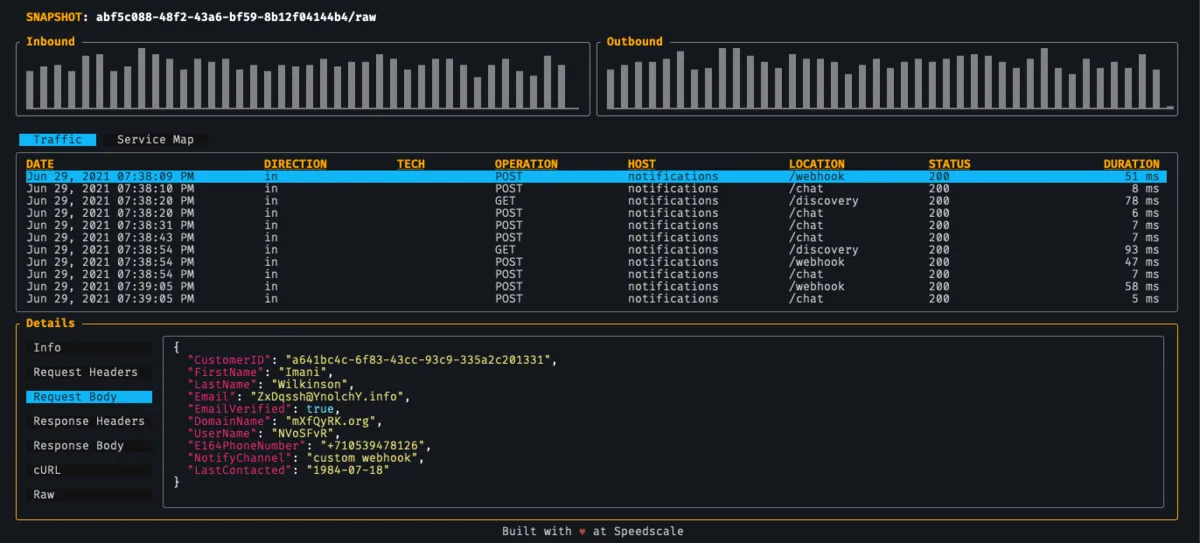
Recorded requests can save time when building a Postman collection. The export gives you requests and saved examples; review authentication, variables, target hosts, and assertions before running it as a test. The screenshots below show an earlier UI, while the commands use the current export workflow.
1. Install Postman and proxymock
Install Postman and follow the proxymock installation guide. For a cloud snapshot, use the speedctl Postman export guide.
2. Record traffic
With your application already running on port 8080, start the recorder:
proxymock record --app-port 8080Send representative requests through the recorder’s inbound listener, normally port 4143. Configure the application’s outbound proxy routing separately if you need dependency traffic. Stop recording with Ctrl-C after the exchanges complete. Review capture coverage and sensitive values before exporting.
3. Export a collection
Export the local recording to a separate file:
proxymock export postman --in ./proxymock --out collection.jsonInbound traffic is selected by default. Add --inbound-only=false to include eligible outbound HTTP exchanges, or use --service and --limit to narrow the selection. Confirm the recording directory if you chose a custom output path.
For an existing cloud snapshot, use speedctl export snapshot --type postman --output collection.json SNAPSHOT_ID, replacing SNAPSHOT_ID with the real identifier.
4. Import into Postman
Use Postman’s Import action and select collection.json. Check the target hosts and replace captured credentials with test variables before sending requests.

5. Add assertions and maintain the collection
Requests are grouped by host and include saved responses. Add post-response tests for the outcomes you expect, plus any variable extraction and request chaining. A saved response example is not an executable assertion.
When the API changes, export to a new file and review the differences. Preserve intentional tests and variables instead of overwriting the maintained collection with an unreviewed export.
Further reading
Once traffic is recorded by Speedscale it can be used for a variety of purposes:
- local API testing (like with this blog!)
- periodic testing as part of the CI pipeline - check out our docs for Github, Gitlab, and Jenkins integration
- automated load testing
- automatic mocking of 3rd party dependencies like AWS or Google APIs
Review the current export options and contact Speedscale with workflow questions.
Frequently asked questions
Does exporting a collection also create assertions?
The export creates HTTP requests and saved response examples in a Postman collection. Those examples are reference data, not automatically executable assertions. Add post-response tests for status, meaningful content, and the intended business outcome. Configure variables and request chaining where needed, then prove a deliberately incorrect response makes the automated collection run fail.
How are secrets and authentication represented?
Treat the exported file as potentially sensitive: recorded request headers and response examples can retain credential values and private data. Replace credentials with variables resolved through an appropriate secret mechanism, select test identities, and review bodies and query parameters too. Exporting or importing a collection does not refresh expired tokens or automatically make its contents safe to commit.
How do I refresh a collection when traffic changes?
Export a new reviewed recording to a separate file, compare its requests and examples with the maintained collection, and carry forward intentional tests and variables. Check the target hosts before executing it. Inbound-only is the default; include outbound calls explicitly when needed. Re-recording updates observed exchanges, but does not establish that assertion logic or provider behavior remains correct.
Sources: Speedscale Postman export, Postman response assertions, Secret lifecycle and access control, Capture redaction rules.