ROI of Digital Twin Testing: Cut Testing Costs by 50%
When engineering leaders review their cloud bills, they often focus on production costs. That makes sense: production infrastructure serves real users and generates real revenue. But there’s a shadow cost in every cloud environment that goes unnoticed until it becomes painful: non-production infrastructure.
According to the Flexera State of the Cloud Report, non-production environments including dev, test, staging, and demo systems often represent roughly 27% of a company’s cloud infrastructure costs. For complex SaaS companies and mission-critical applications, this number climbs higher—staging environments alone can consume 16-18% of infrastructure spend and 19-21% of ongoing maintenance costs.
For a company spending $1 million annually on cloud infrastructure, that’s $270,000-$400,000 dedicated to environments that never directly serve a single customer. And for businesses running revenue-generating or business-critical applications that require high-fidelity testing environments, these costs are often at the higher end of that range.
These environments are necessary for quality software delivery. The problem is how we’re using them. Traditional testing approaches require maintaining expensive, always-on infrastructure that mirrors production. Teams run synthetic workloads that barely scratch the surface of real-world complexity. And they pay premium prices for third-party API integrations just to run tests.
Digital twin testing takes a different approach: capture real production traffic and replay it in lightweight test environments. The result is lower infrastructure costs and better test coverage.
Executive Summary
Non-production environments typically consume 20-40% of cloud infrastructure costs. That’s up to $400K annually for a $1M cloud budget. For mission-critical applications, these costs trend toward the higher end. This ROI analysis breaks down how digital twin testing delivers measurable savings across three areas:
| Category | Before | After | Annual Savings |
|---|---|---|---|
| Non-production infrastructure | $400K | $200K | $200K (50%) |
| Production incidents | $600K | $252K | $348K (58%) |
| Engineering efficiency | $45K | $9K | $36K (80%) |
| Platform cost | $0 | $60K | -$60K |
| Total | $1,045K | $521K | $524K (50%) |
ROI: 9x return on platform investment in year one.
Read on for detailed breakdowns, real-world examples, and implementation guidance.
Non-Production Infrastructure Costs
If you’re not actively managing your non-production environment costs, you’re likely losing money. Here’s the breakdown.
Non-Production Sprawl: The Largest Line Item You’re Not Tracking
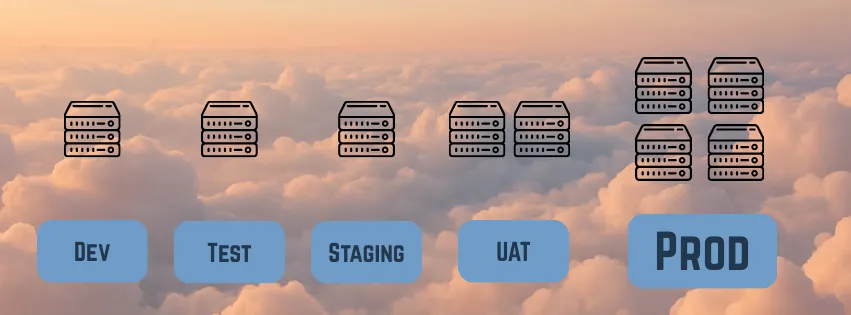
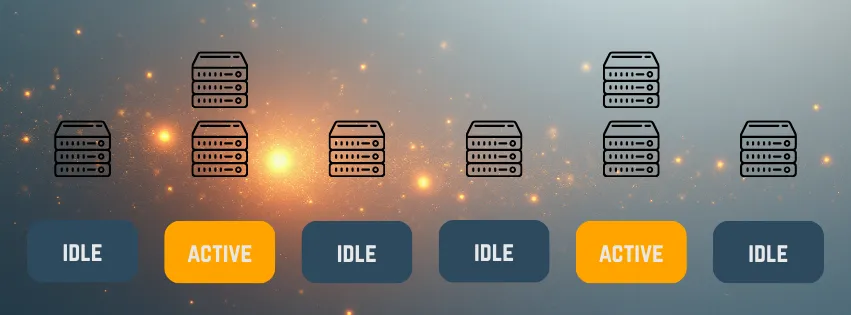
Most organizations run their non-production environments 24/7, even though they’re typically only used during a 40-hour work week. Research from ParkMyCloud shows that approximately 40% of cloud infrastructure is non-production, with these resources sitting idle about 70% of the week. Simply shutting them down when not in use could reduce approximately 28% of total cloud compute costs.
The math is brutal: If 27-40% of your $1M cloud budget goes to non-production, and 70% of that time those resources are idle, you’re wasting roughly $190,000-$280,000 annually on compute cycles that provide zero value.
💰 The Hidden Cost Organizations waste $190K-$280K annually on idle non-production infrastructure that’s only used 30% of the time—resources running 24/7 but providing value just 40 hours per week.
Even more alarming: Gartner research shows that around 70% of CTOs admit they don’t track maintenance costs of environments effectively, meaning the true cost of staging and test environments is often buried in cloud bills and lost engineering hours that aren’t explicitly measured.
⚠️ Tracking Blindspot 70% of CTOs don’t effectively track environment maintenance costs, meaning the true waste is significantly higher than what appears on your cloud bill. Factor in engineering time for environment management, and you’re looking at 20-30% more than reported.
The Developer Environment Arms Race
The problem has gotten worse with modern Kubernetes developer environments. Developers increasingly demand high-CPU, high-memory environments that don’t match production configurations. A developer might spin up a 16-core, 64GB RAM instance to run tests that will eventually deploy to production on 2-core, 8GB containers.
Research on ephemeral Kubernetes environments shows that idle dev/test environments can cost 3-5x more than production in some cases. Why? Because teams over-provision to avoid developer complaints about slow environments, resulting in powerful but mostly-idle infrastructure running around the clock.
These developer environments often bear little resemblance to production:
- Different instance types and sizes
- Different network topologies
- Different data volumes and characteristics
- Different dependency versions
So you’re paying a premium for environments that don’t even provide production-realistic testing. It’s the worst of both worlds.
The Third-Party API Cost Trap
Third-party API dependencies are another infrastructure cost that blindsides teams. Many modern applications integrate with dozens of external services: payment processors, authentication providers, analytics platforms, and CRM systems.
The problem? Not all vendors provide proper test environments, and even when they do, you often can’t fully test without incurring costs.
Take Stripe as an example. While Stripe does provide a test mode, you obviously wouldn’t run actual credit card transactions in your test lab—that would incur real processing fees and compliance risks. But what about vendors that don’t provide test sandboxes at all? You’re left with three bad options:
- Call the real API in your tests - Incur costs, hit rate limits, potentially expose production data
- Skip testing those integrations - Ship with blind spots, discover issues in production
- Build manual mocks - Time-consuming, hard to maintain, never matches real API behavior
For a company with 20+ third-party integrations, the cost of making actual API calls during testing can easily reach $10,000-30,000 annually—and that’s assuming you can even test meaningfully without violating terms of service or compliance requirements.
Service mocking addresses this, but traditional mocking requires engineering effort to create and maintain mock responses for every API endpoint and scenario.
Load Testing’s Infrastructure Nightmare
The infrastructure cost problem reaches its peak with load testing. To validate that your application can handle production-level traffic, traditional approaches require provisioning infrastructure that mimics production scale.
According to AWS documentation, running their Distributed Load Testing requires dozens of components for basic scenarios, but real-world production-scale load tests require far more resources. CloudZero estimates that load testing infrastructure typically runs $5,000-$20,000 per test cycle.
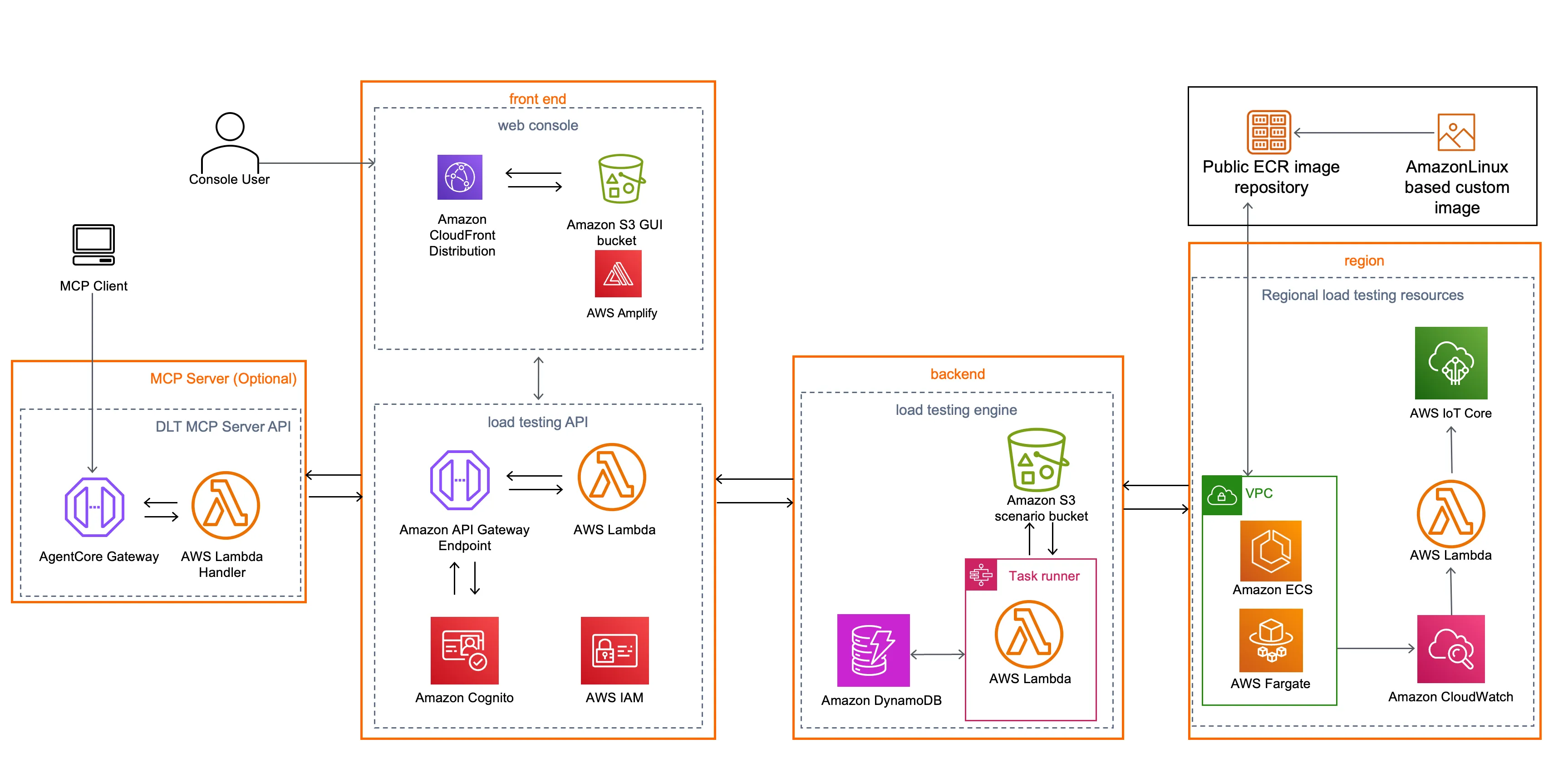
The costs stack up quickly:
- Load generation infrastructure (multiple regions, high bandwidth)
- Test environment sized to production scale
- Storage for logs and metrics
- Engineering time to design realistic test scenarios (80-120 hours)
- Database instances at production size
- Networking costs for inter-region traffic
Because it’s so expensive, teams typically only run load tests quarterly or before major releases. You’re deploying changes to production every week but only validating performance four times a year. Teams increasingly resort to testing in production, which is an expensive place to discover your new code can’t handle scale.
A production outage due to a performance issue that load testing would have caught costs far more than the test itself. But teams skip it because the infrastructure costs are prohibitive for frequent testing.
Speedscale gave us clear insight on the upper load limit of our software. Whereas with K6, it was more binary, like a PASS/FAIL grade. Speedscale took it one step further to help us understand, based on transactions per second, exactly where our breakpoints were. We felt more confident in where our service could be.
— Jeff Kwan, Principal Software Engineer, Cimpress
What is a Digital Twin for Software Testing?
Before we dive into ROI calculations, let’s clarify what we mean by “digital twin” in the context of testing.
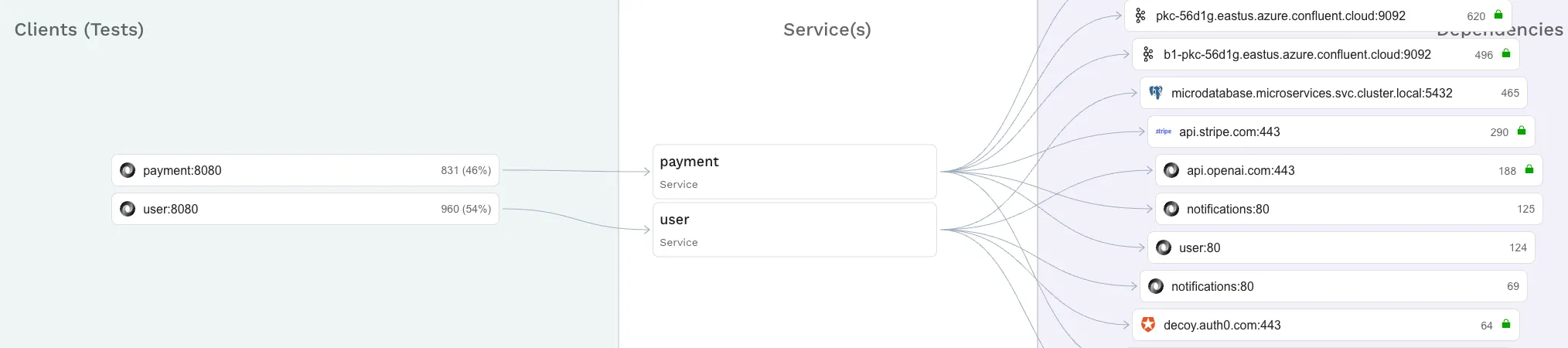
A digital twin for testing is a lightweight replica of your production system that uses real traffic patterns instead of synthetic test data. Unlike traditional staging environments that require expensive, always-on infrastructure, a digital twin approach involves:
- Traffic Capture: Recording actual API requests, responses, and interactions from production (sanitized and anonymized).
- Data Analysis: Identification of data patterns to replicate production conditions and scenarios, even external dependencies.
- Continuous Replay: Autonomously running scenarios and comparing responses to detect regressions before release.
The key difference: instead of maintaining expensive infrastructure and writing synthetic tests, you capture reality once and replay it cheaply.
You can learn more about the technical implementation in our guide on how to build a traffic replay system.
We liked Speedscale’s approach of capturing traffic, redacting sensitive data, and then replaying it in a dev environment. We instantly saw how it could make our lives easier, plus save a lot of time and money.
— Darin Stromberg, Software Architect, Navitaire
The ROI of Digital Twin Testing
How does testing with a digital twin affect your infrastructure costs?
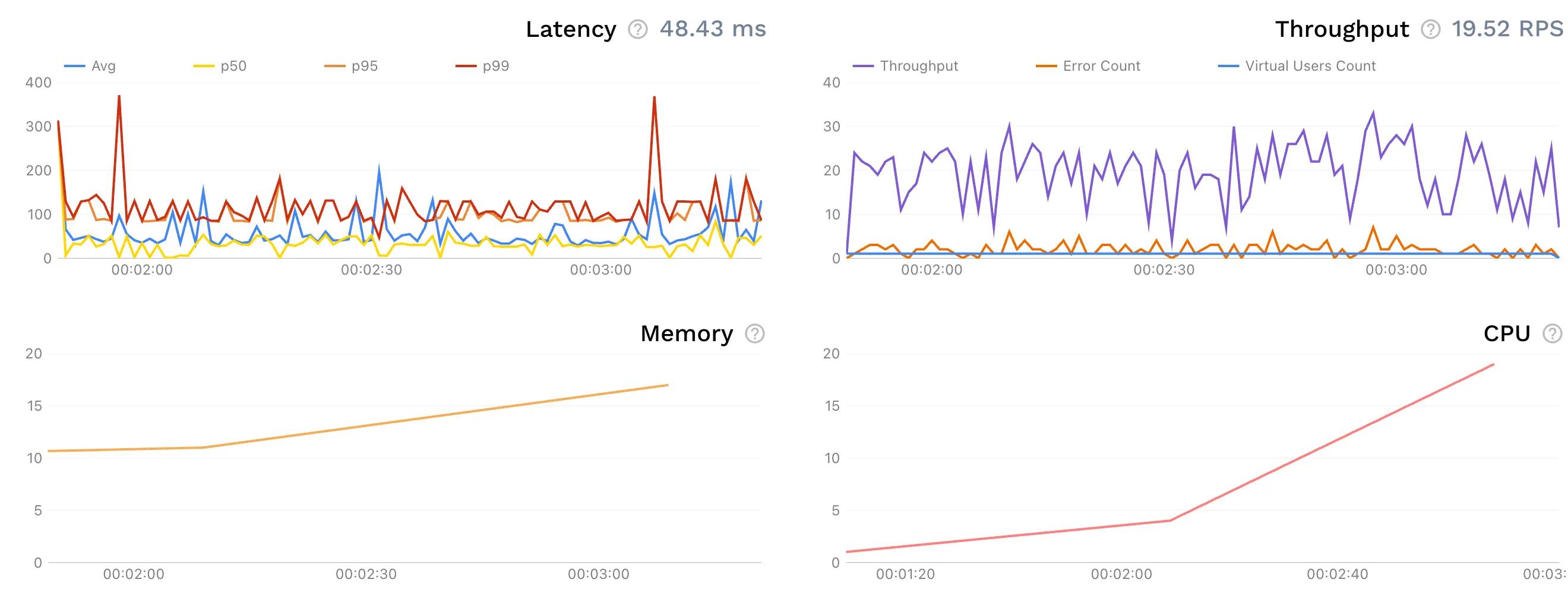
1. Non-Production Infrastructure: $200K Savings (50% Reduction)
This is the big one. Remember those environments running 24/7 but only used 40 hours a week?
Traditional Approach: $400,000/year
Your non-production infrastructure includes always-on staging environments, developer environments, load testing infrastructure, and third-party API testing costs. For a company spending $1M on cloud, this typically runs $400K annually.
Digital Twin Approach: $200,000/year
- Lightweight test environments (spin up on-demand, right-sized): $120,000/year
- Traffic replay instead of always-on staging: $50,000/year
- Production traffic capture & storage: $30,000/year
Infrastructure Savings: $200,000 annually (50% reduction)
According to Gartner’s 2024 cloud cost research, organizations that implement automated scheduling for non-production environments can reduce those costs by up to 70%. Digital twin testing goes further by eliminating the need for large, always-on environments entirely.
Key infrastructure benefits:
- Eliminate always-on staging: Traffic replay means you don’t need expensive environments running 24/7
- Right-size developer environments: Test with production traffic patterns in smaller, on-demand instances
- No load testing infrastructure: Replay recorded traffic instead of provisioning load generators
- Auto-generated mocks: No more paying for third-party API calls during testing. Our guide on ultimate local development mocks explains how teams use traffic replay to create production-accurate mocks without the ongoing API costs.
2. Production Incidents: $348K Savings (58% Reduction)
Better testing means fewer production incidents. The infrastructure savings above are real, but the bigger financial impact comes from avoiding production failures.
AI Is Accelerating Code Output, But Stability Is Declining
According to Stack Overflow’s 2024 Developer Survey, 76% of software engineers are now using or planning to use AI tools in their development process. AI-assisted coding has gone mainstream.
At the same time, code instability is increasing. The 2025 DORA Report from Google shows that software stability metrics are declining, even as (or because) AI tooling spreads.
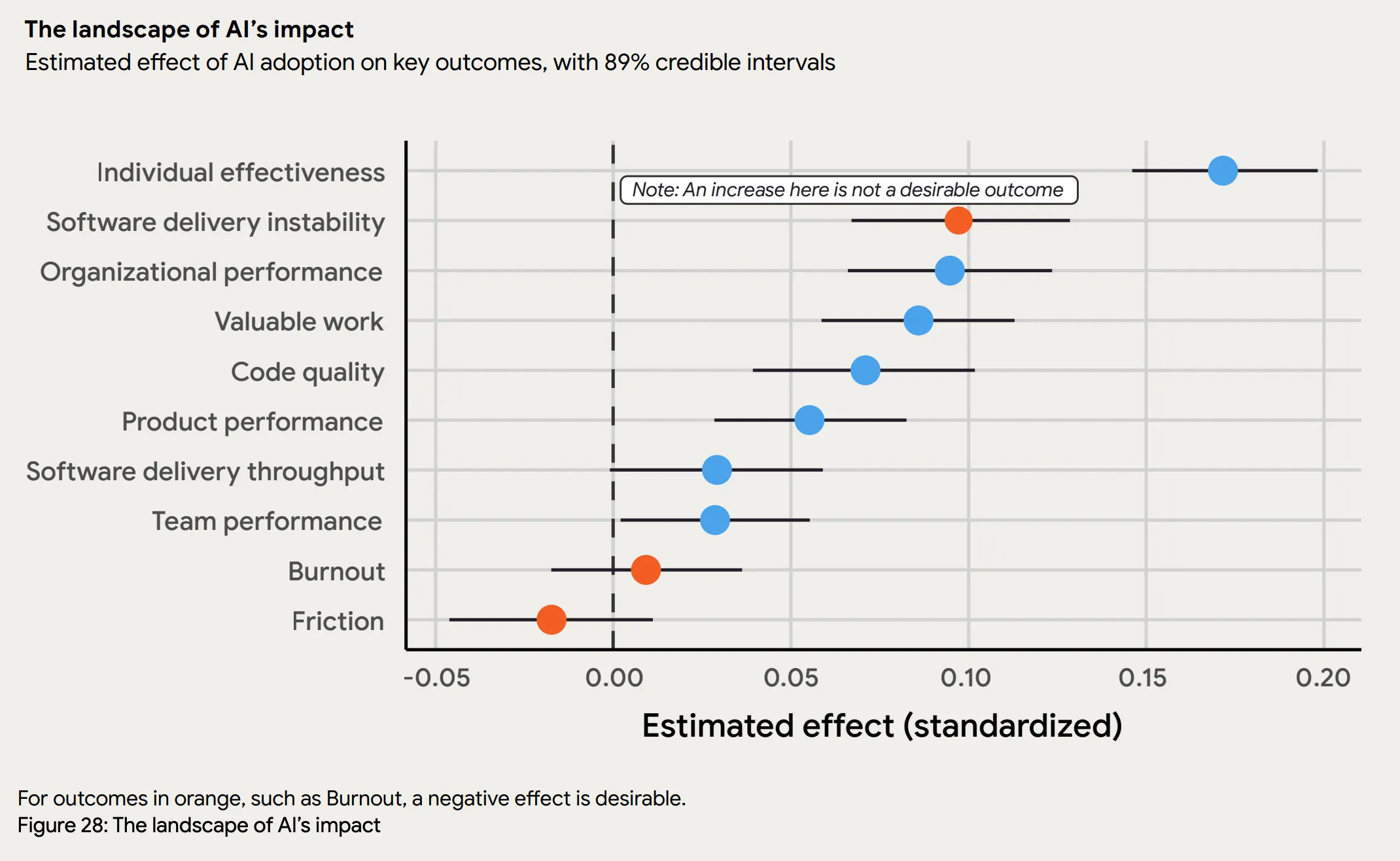
When developers generate code faster than ever, the bottleneck shifts from writing code to validating it. AI produces syntactically correct code that passes unit tests but breaks under real-world conditions: edge cases, complex data patterns, and integration scenarios that AI models haven’t seen.
More code ships faster, with less confidence in how it behaves in production. Traditional testing can’t keep pace.
Digital twin testing addresses this gap: instead of anticipating every scenario AI-generated code might encounter, you validate against actual production traffic patterns. This scales with faster development cycles in a way that hand-written tests cannot.
Traditional tests cover maybe 40-60% of real-world scenarios. Digital twin testing covers 90-95% because it’s based on what actually happens in production, including:
- Edge cases that developers wouldn’t think to test
- Complex interaction patterns between services
- Realistic data distributions and volumes
- Actual third-party API behaviors
Traditional Approach: $600,000/year
- 12 major incidents per year × $50,000 per incident (engineering time + downtime + customer impact)
Digital Twin Approach: $250,000/year
- 5 major incidents per year × $50,000 per incident (58% reduction in incident rate)
Incident Cost Savings: $350,000 annually (58% reduction)
Gartner research shows that organizations catching issues in testing rather than production reduce their incident costs by 50-70%.
It costs the company a lot of money to investigate all these incidents that pop up. I believe that there is a significant amount of money that we could mitigate if we could catch things before they happen with Speedscale.
— Darin Stromberg, Software Architect, Navitaire
3. Engineering Efficiency: $36K Savings (80% Reduction)
The third value driver is the time engineers spend writing and maintaining tests. Traditional testing requires manual effort to create realistic test scenarios. Digital twin testing largely eliminates this work.
Traditional Approach: $45,000/year
For a team of 20 engineers, each spending approximately 15 hours per year on test creation, maintenance, and debugging flaky tests:
- 20 engineers × 15 hours × $150/hour (fully loaded cost) = $45,000/year
Digital Twin Approach: $9,000/year
With auto-generated tests from production traffic, engineers spend roughly 80% less time on test maintenance:
- 20 engineers × 3 hours × $150/hour = $9,000/year
Efficiency Savings: $36,000 annually (80% reduction)
That translates to 240 engineering hours redirected from test maintenance to feature development, or about 1.5 months of additional engineering capacity per year.
Additional efficiency benefits:
- Faster debugging: Traffic recordings reduce MTTR by 40-60% when issues do occur
- No flaky tests: Real traffic patterns eliminate the false positives that plague synthetic tests
- Better developer experience: Less time fighting test infrastructure means happier, more productive engineers
Summing It Up
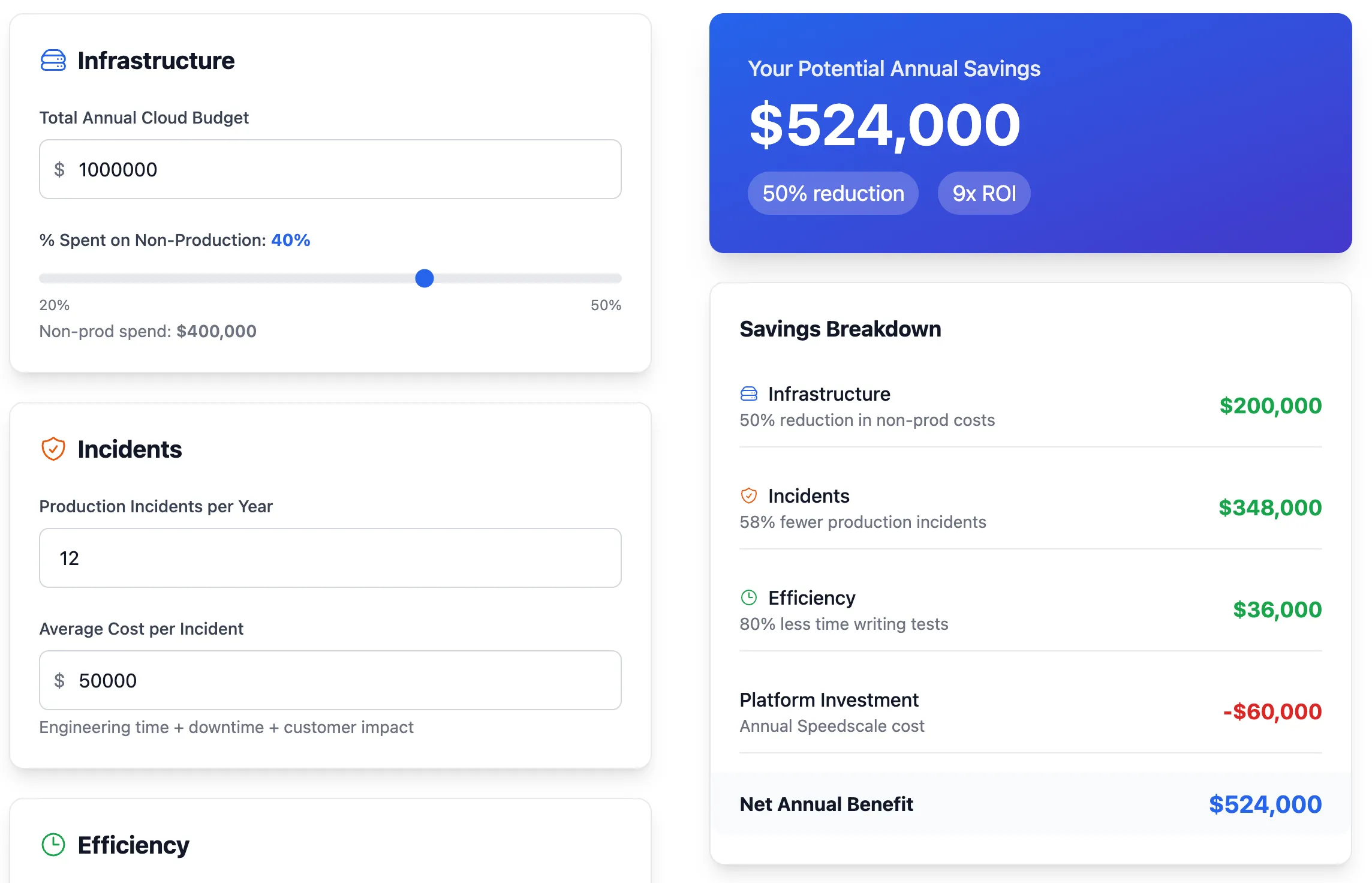
For a mid-sized company spending $1M on cloud infrastructure, digital twin testing delivers $524K in annual savings across three key areas:
| Category | Before | After | Annual Savings |
|---|---|---|---|
| Non-production infrastructure | $400K | $200K | $200K (50%) |
| Production incidents | $600K | $252K | $348K (58%) |
| Engineering efficiency | $45K | $9K | $36K (80%) |
| Platform cost | $0 | $60K | -$60K |
| Total | $1,045K | $521K | $524K (50%) |
That’s a 9x return on platform investment.
Getting Started with Digital Twin Testing
The numbers make the case, but implementation doesn’t have to be complex. Here’s a pragmatic approach.
Step 1: Audit Your Current Testing Costs
Before you start, understand what you’re actually spending:
- Review your cloud bills and identify non-production resource costs
- Calculate engineer time spent on test creation and maintenance
- Document your incident rate and average remediation cost
- List all third-party API integrations you’re testing against
This baseline is critical for measuring ROI and getting buy-in from leadership. If you’re spending $1M+ on non-production infrastructure, you have a strong business case.
Step 2: Start with Your Highest-Cost Service
Don’t try to transform everything at once. Identify the service that:
- Has the most expensive test infrastructure
- Generates the most incidents
- Has the most third-party dependencies
- Is actively being developed (high test maintenance burden)
Start there. Prove the value with one critical service before expanding.
Step 3: Implement Traffic Capture
Use tools like Speedscale to capture production traffic safely:
- Modern solutions handle automatic PII redaction and data sanitization
- Traffic can be captured from service meshes, API gateways, or sidecars
- Storage costs are minimal compared to always-on infrastructure
- You can start with pre-production traffic if production access is restricted
For implementation details, see our guide on optimizing Kubernetes ephemeral environments.
Step 4: Replace Infrastructure, Not Just Tests
The key isn’t just running better tests—it’s shutting down expensive infrastructure:
- Decommission always-on staging environments
- Replace oversized developer environments with right-sized, on-demand instances
- Eliminate load testing infrastructure in favor of traffic replay
- Stop making live third-party API calls in tests
This is where the real savings come from. Track your monthly cloud bill and watch it drop.
Step 5: Measure and Communicate ROI
Track metrics that matter to leadership:
- Non-production infrastructure costs (monthly)
- Incident rate and remediation costs
- Test coverage (% of prod scenarios validated)
- Time to run full regression suite
- Developer satisfaction with testing tools
Present these metrics quarterly to demonstrate ongoing value and justify expansion to additional services.
Common Objections and Responses
”We can’t capture production traffic due to compliance/security”
Start with pre-production environments. Capture traffic from your staging environment or high-fidelity demo environments. Modern traffic capture tools include automatic PII redaction and can be configured to comply with GDPR, HIPAA, and other regulations. Many financial services and healthcare companies successfully use traffic capture with proper sanitization.
”Our cloud costs are already optimized”
Maybe, but non-production environments represent 27-40% of cloud infrastructure costs and 70% of CTOs don’t effectively track environment costs. Run a detailed audit:
- Are your non-production environments running 24/7?
- Are developer environments sized larger than production?
- How much are you spending on load testing infrastructure?
- What’s your monthly third-party API testing bill?
Most organizations find waste they didn’t know they had.
”We already have Kubernetes ephemeral environments”
Good start, but ephemeral environments still require infrastructure to run on. Digital twin testing complements them by:
- Providing realistic test data to run in those environments
- Eliminating the need for production-sized infrastructure
- Auto-generating mocks for dependencies
- Enabling load testing without additional infrastructure
Check out our post on Kubernetes developer environments to see how these approaches work together.
”This seems like a big change to our workflow”
It is. But the financial pressure to reduce cloud costs isn’t going away. Gartner’s 2024 research shows that 69% of organizations are experiencing cloud budget overruns, and non-production environments are a target for cuts.
Start small with one service, prove the ROI, then expand. The platform investment pays for itself in months through infrastructure savings alone.
The Bottom Line
Most engineering organizations pay for always-on staging environments that sit idle 76% of the time. They give developers oversized Kubernetes clusters that don’t match production. They provision expensive infrastructure for quarterly load tests while deploying weekly. They make live API calls to third-party services just to run tests.
For a typical mid-sized company, that adds up to $1M+ annually across infrastructure, incidents, and wasted engineering time.
Digital twin testing changes this. Instead of maintaining expensive infrastructure and hoping your synthetic tests catch issues, you capture real production patterns and replay them in lightweight environments. Infrastructure savings are typically 50% of non-production costs.
The tradeoff you’d expect isn’t there: you’re not sacrificing quality for cost savings. Test coverage goes up, bugs get caught earlier, and production incidents drop.
Frequently Asked Questions
Q: How much do non-production environments really cost?
A: Non-production environments (dev, test, staging, demo) represent 27-40% of total cloud infrastructure costs according to Flexera research. For companies running mission-critical or revenue-generating applications, staging environments alone can consume 16-18% of infrastructure spend and 19-21% of ongoing maintenance costs. For a company spending $1M on cloud infrastructure, that’s $270K-$400K annually dedicated to non-production resources.
Q: What is digital twin testing?
A: Digital twin testing captures real production traffic (sanitized and anonymized) and replays it against new code in lightweight test environments. Instead of maintaining expensive always-on staging infrastructure, you record actual API calls and system behaviors from production, then replay them to validate changes. Tests and mocks for third-party dependencies are generated automatically from real API behaviors.
Q: What ROI can I expect from digital twin testing?
A: Organizations typically see $500K-$600K in annual savings for mid-sized companies, with an average ROI of 9x return on platform investment in year one. Savings come from three key areas:
- $200K savings from reducing non-production infrastructure (50% reduction)
- $348K savings from reduced production incidents (58% fewer incidents)
- $36K savings from engineering efficiency (80% less time writing tests)
The platform investment typically pays for itself in 3-4 months through combined savings.
Q: Can digital twin testing work with Kubernetes and ephemeral environments?
A: Yes, digital twin testing complements Kubernetes ephemeral environments well. Ephemeral environments solve the infrastructure provisioning problem, but they still need realistic test data and can get expensive if over-provisioned. Digital twin testing provides:
- Realistic production traffic patterns to run in ephemeral environments
- Elimination of production-sized infrastructure requirements
- Auto-generated mocks for dependencies (no need for full service graphs)
- Load testing capabilities without additional infrastructure
Teams using both together typically reduce environment costs by 50-70% compared to traditional approaches.
Q: How does digital twin testing handle compliance and data privacy?
A: Modern digital twin solutions include built-in PII redaction and data sanitization that comply with GDPR, HIPAA, SOC 2, and other regulations. Traffic capture can be configured to:
- Automatically detect and redact sensitive data (credit cards, SSNs, emails, etc.)
- Anonymize user identifiers
- Filter out specific headers or request/response fields
- Capture from pre-production environments if production access is restricted
Financial services and healthcare companies use traffic capture with proper sanitization controls.
Q: What if we can’t capture production traffic?
A: Start with pre-production traffic from staging or demo environments. Production traffic provides the most realistic scenarios, but capturing from staging still delivers value compared to hand-written synthetic tests. Once you’ve worked through compliance requirements, you can move to production traffic capture for better coverage.
Take Action
If your organization is:
- Spending $500K+ annually on non-production infrastructure
- Running always-on staging environments
- Skipping load tests because they’re too expensive
- Paying for third-party API calls in test environments
- Experiencing regular production incidents despite “comprehensive” testing
Then digital twin testing is worth evaluating.
Calculate Your Potential Savings
Input your current cloud spend and get an instant estimate of how much digital twin testing can save your organization. See the breakdown across infrastructure, API testing, load testing, and incident costs—personalized to your environment.
Takes 60 seconds. No email required.
Get a Free Cloud Cost Assessment
Not sure where to start? We’ll analyze your non-production spending and show you exactly where the waste is hiding.
Our assessment includes:
- Complete audit of non-production environment costs
- Identification of idle and oversized resources
- Third-party API testing cost analysis
- Custom ROI projection for your organization
- Implementation roadmap
Schedule Your Free Assessment →
Start with a Proof of Concept
See the ROI for yourself. We’ll help you:
- Identify your highest-cost service
- Capture one week of production traffic
- Replay against a code change
- Measure infrastructure savings and test coverage improvements
No commitment. Prove the value first.
Contact Speedscale to start your pilot project.
The math works. The implementation is straightforward. The question is whether you’ll act on it.