
Compared to UI testing, API testing can often feel abstruse because it primarily focuses on the underlying code and is mainly performed at the integration level. Depending on your API’s purpose, it will likely be used by a diverse variety of developers, organizations, and systems—at least, that should be the goal. However, it can be difficult to simulate how your API will perform under every use case and real-world circumstance. A full-featured API testing solution should be able to help you address these challenges. It should help you test not just the functionality but the performance, security, and reliability of your API. The following guide introduces you to two popular API testing tools: Speedscale and HyperTest. It will cover features, how easy each tool is to set up, cost, developer experience, and CI/CD integration.
Ease of Setup
Ease of setup refers to how quickly you can get the API integration testing tool up and running. You shouldn’t be spending more time learning how to use the tool than you are using it. That’s why the solution should be intuitive, feature clear instructions, and have responsive but simple sign-up and installation flows.
Setting Up Speedscale
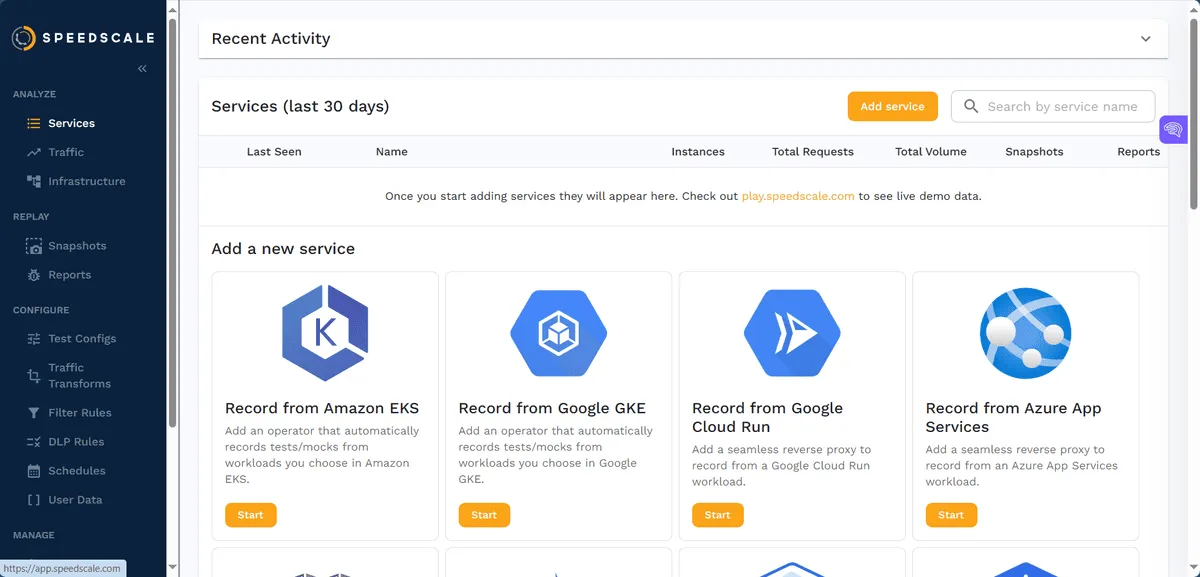
For local recording, follow the proxymock installation and activation instructions. For a cluster deployment, use the operator installation guide. The eBPF collector documentation describes supported workloads and permissions; the local proxy workflow has different networking requirements.
The screenshots below show earlier product interfaces. Use the current guides for exact controls and setup steps.
Setting Up HyperTest
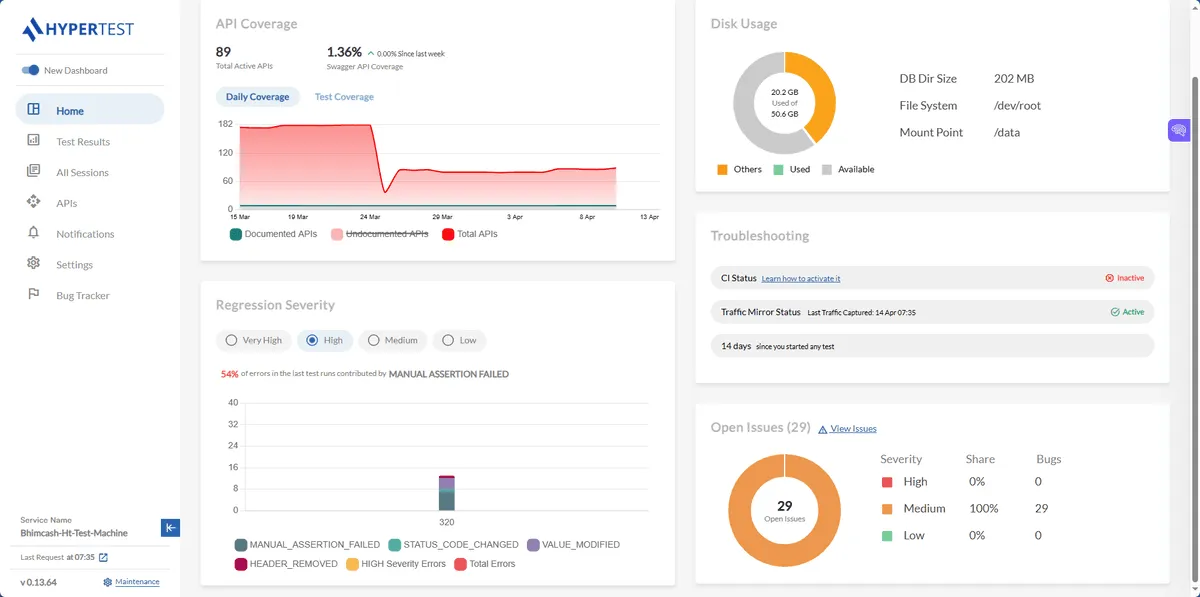
HyperTest’s current setup overview starts with an application SDK. Its v2 architecture describes the SDK, CLI, and HyperTest server as separate components. Verify supported runtimes, libraries, and hosting options for the service you intend to test. Earlier installation screenshots do not establish the requirements of every current deployment.
Developer Experience
Developer experience refers to the features and functions the API integration testing tool has to offer. It also covers how easy the tool is to use. Ease of setup is one thing, but the developer experience will help you ascertain which API integration testing tool is worth committing to.
Speedscale API Testing: Developer Experience
Speedscale is built on an API-first development principle. This means that every capability available in the UI can be accessed programmatically. Data collection and replays can be initiated using `speedctl`. This means that you can create your own scripts or even build a custom UI on top of Speedscale’s gRPC API. You can then export and display your data in a JSON (or JSON-like) format. Alternatively, you can just stick to Speedscale’s dashboard, which provides you with the above functions in a ready-made UI. The most challenging part of using Speedscale for API testing is setting up your test configurations. 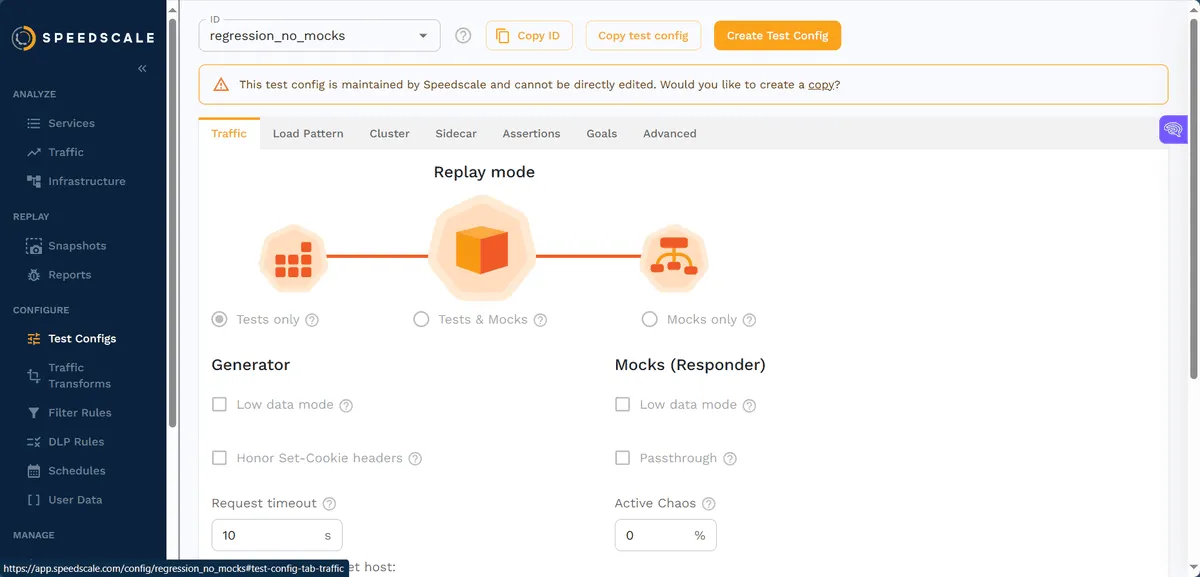 Most API testers will likely be interested in how Speedscale handles traffic. Capture depends on the deployment mode: supported Kubernetes workloads can use the eBPF collector, while local proxymock recording uses a configured proxy. You can create tests and mocks and transform traffic for functional and performance tests. You can then use filters to create snapshots of anomalies or important traffic events.
 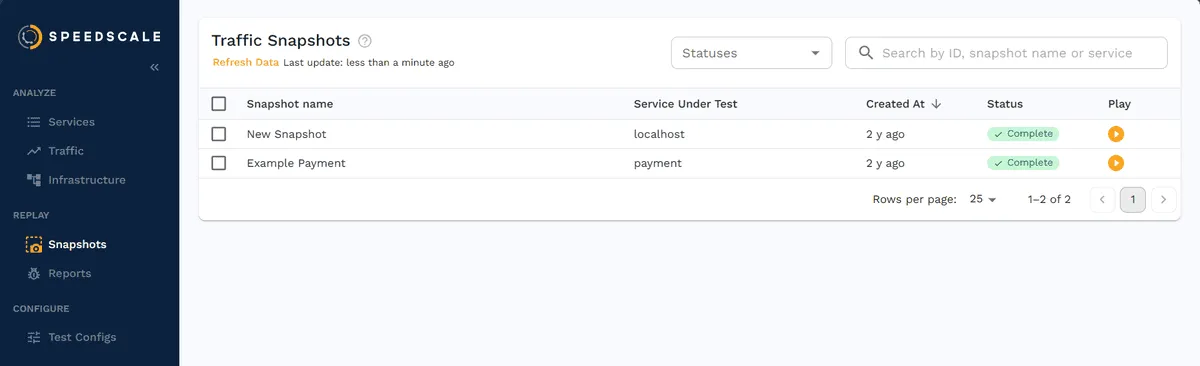 Finding your way around Speedscale’s user interface and learning about its features doesn’t take very long. The dashboard’s interface is well-organized and segmented. It doesn’t present or throw walls of overwhelming information and data at you. Speedscale nurtures the software development experience in two main ways: with a wide range of testing options and with features that are as accessible as possible. In addition to its documentation, interested users have access to its playground, allowing them to see and work with live test demo data.
HyperTest API Testing: Developer Experience
HyperTest uses recorded execution flows and SDK-based instrumentation. Verify the supported runtime and library versions for the workflow you intend to deploy. HyperTest’s dashboard is well-organized and structured. The Home screen provides an overview of all your API traffic and integration tests. It features a collection of widgets that contain graphs and other visual information representing the various statuses and statistics of your tests and services. You’ll want to pay attention to the troubleshooting section, as it helps you address any issues with your integration tests and traffic. HTTP calls and requests to and from your API can be viewed in the APIs section of the dashboard. This can be useful for HTTP/2 monitoring and testing. You can sort, filter, and aggregate your HTTP methods. 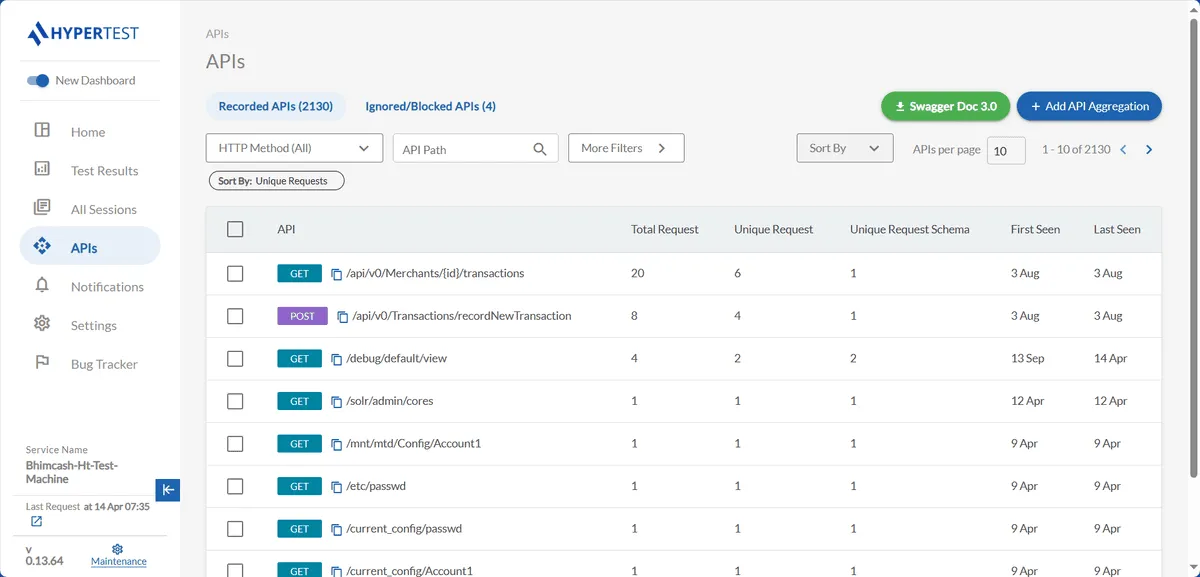 While HyperTest is a no-code tool on the surface, much of its configuration will require some coding. For instance, the service configuration is written in YAML, so you’ll need to have some understanding of it to add or alter the configuration.
 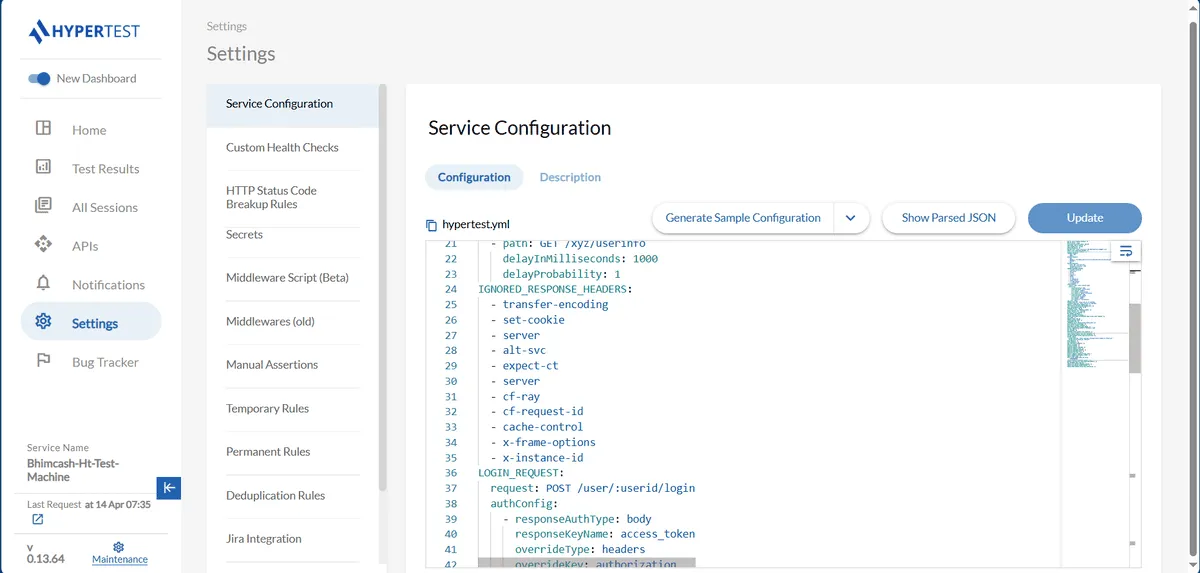 Nevertheless, if you hope to effectively use HyperTest, you must familiarize yourself with the Settings menu. With Speedscale, you may find that the only reason you need to visit the Settings section is to retrieve your API key. Many of HyperTest’s advanced functions are tucked away here. In the documented v2 workflow, the SDK instruments application libraries; it should not be treated as equivalent to a network sidecar.
CI/CD Integration
If you already have a CI/CD development cycle in place or plan to establish one in the near future, you may be interested in how easy it is to plug these API testing solutions into it. Your candidate API testing solution should actively facilitate CI/CD integration. It should not force you to figure out your own integration strategy. Additionally, the integration testing tool should offer comprehensive test automation features.
Integrating Speedscale into CI/CD
There are multiple ways to integrate Speedscale into your CI/CD pipeline. In fact, this is one of the advantages of its API-first approach. You can integrate Speedscale into your CI/CD workflow your own way. You can create `speedctl` command-based scripts, and all commands can be viewed by running `speedctl help` in your terminal: 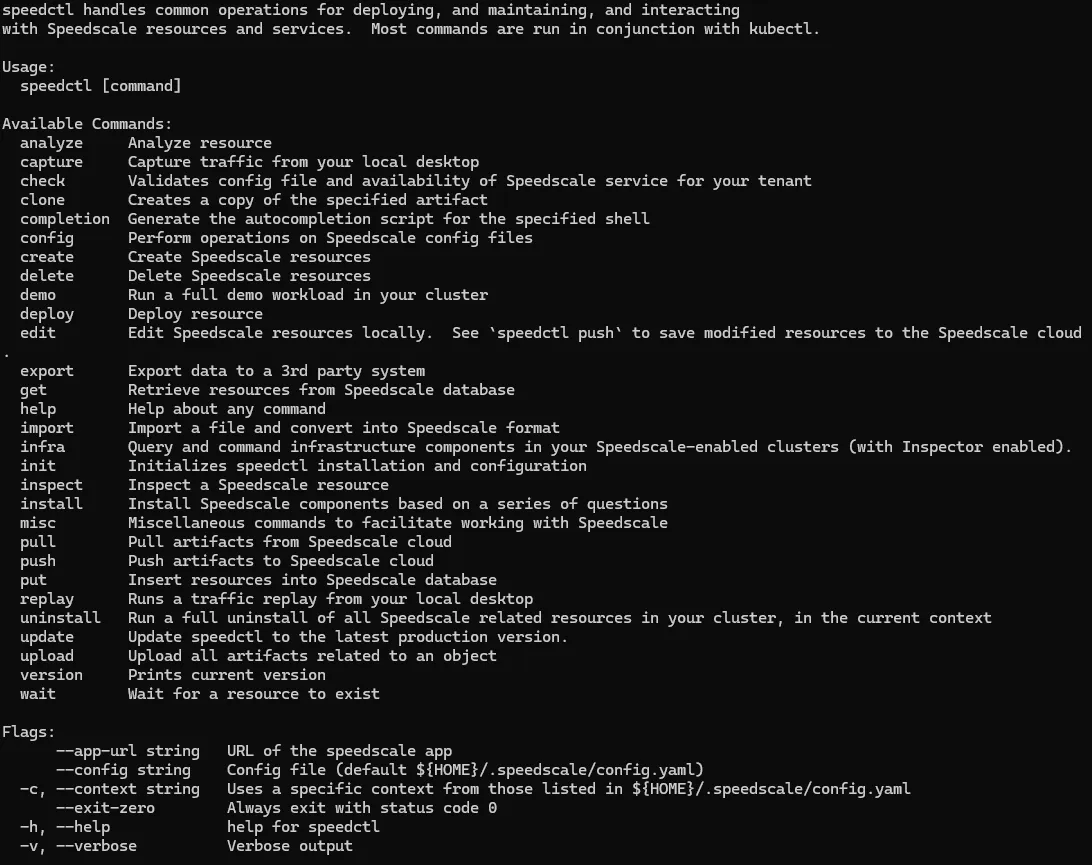 While it may be intuitive enough for an experienced orchestration, DevOps, or CI/CD engineer to figure out how to integrate Speedscale into their environments, it may not be as simple for inexperienced users. Fortunately, Speedscale features documentation that shows users how to integrate it with a plethora of popular providers, such as Jenkins, GitHub, and Azure DevOps.
Integrating HyperTest into CI/CD
HyperTest’s v2 architecture guide describes a CLI that starts the application with its dependency mocks and runs recorded tests. Evaluate that workflow in your CI runner, including its authentication, startup dependencies, report artifacts, and failure handling. Use the current setup documentation for the installed version rather than copying a historical shell example.
Documentation and Support
While a good API testing solution should be intuitive enough for you to set up and use without outside help, this can’t always be the case. Due to your infrastructure or team setup, you may have unique requirements that you can’t address on your own. The API test service/solution should have well-structured and well-written documentation that’s easy to navigate. The service should also offer multiple channels to reach its team for aid and support.
Documentation and Support for Speedscale API Testing
The only time you’re ever required to contact Speedscale during initial setup is to verify your email account. Of course, this is done automatically. Speedscale will then routinely send you helpful resources and newsletters. The amount or level of support you receive depends on your plan. “Startup” offers community support, “Pro” offers business day support, and “Enterprise” offers dedicated Slack support. You can learn more about the differences between these plans by visiting Speedscale’s pricing guide. Speedscale’s community (and much of its support) is managed through Slack. Thus, your experience may hinge on how much you like or dislike Slack. Nevertheless, this has the benefit of near-instant feedback when you run into a wall and need help. You’re not stuck wondering when a service agent or representative will respond to you via email. Most blockades can be addressed using one of Speedscale’s official guides. In fact, much of Speedscale’s documentation, features, and user interfaces seem organized to encourage independence and self-service. The documentation is well-written and concise, and many of the guides are accompanied by videos. Most instructions also feature annotated images with the relevant links and controls highlighted or circled, making them easier to follow. 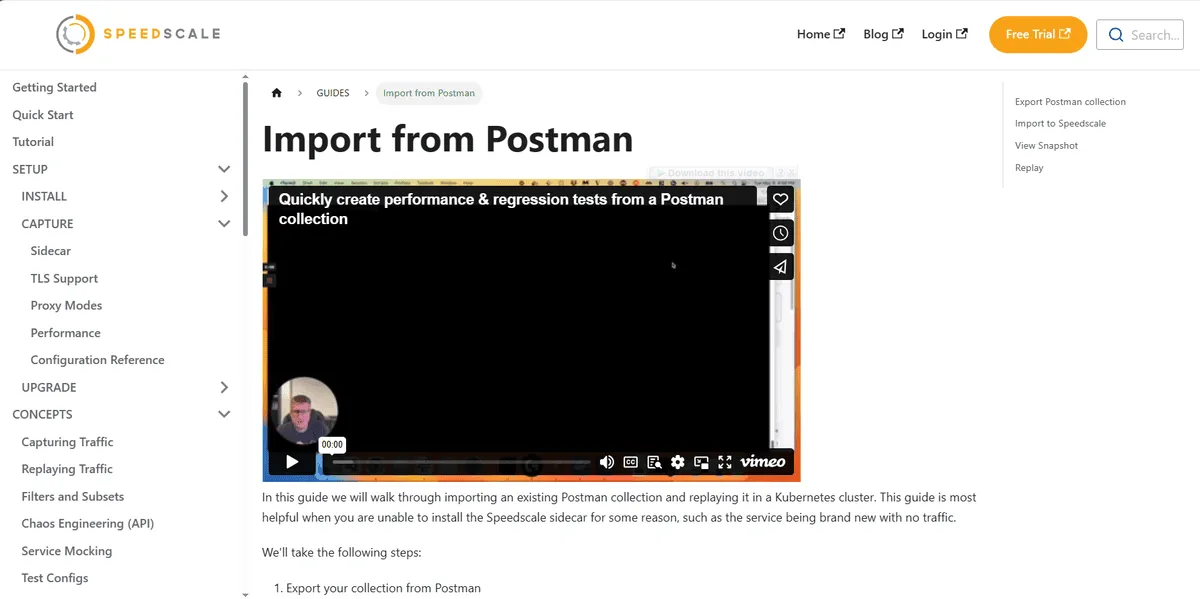
Documentation and Support for HyperTest API Testing
As highlighted in the “Ease of Setup” section, the HyperTest quick start guide could benefit from some polish and refinement. The company keeps essential information, such as pricing, walled off from the public. This means you have to submit your contact details before you’re allowed to test-drive the integration testing tool on your own terms with your own data. While you wait for a response, you can refer to HyperTest’s knowledge base. At the time of writing, some of the content is slightly outdated, and there are some dead links and videos that are no longer available: 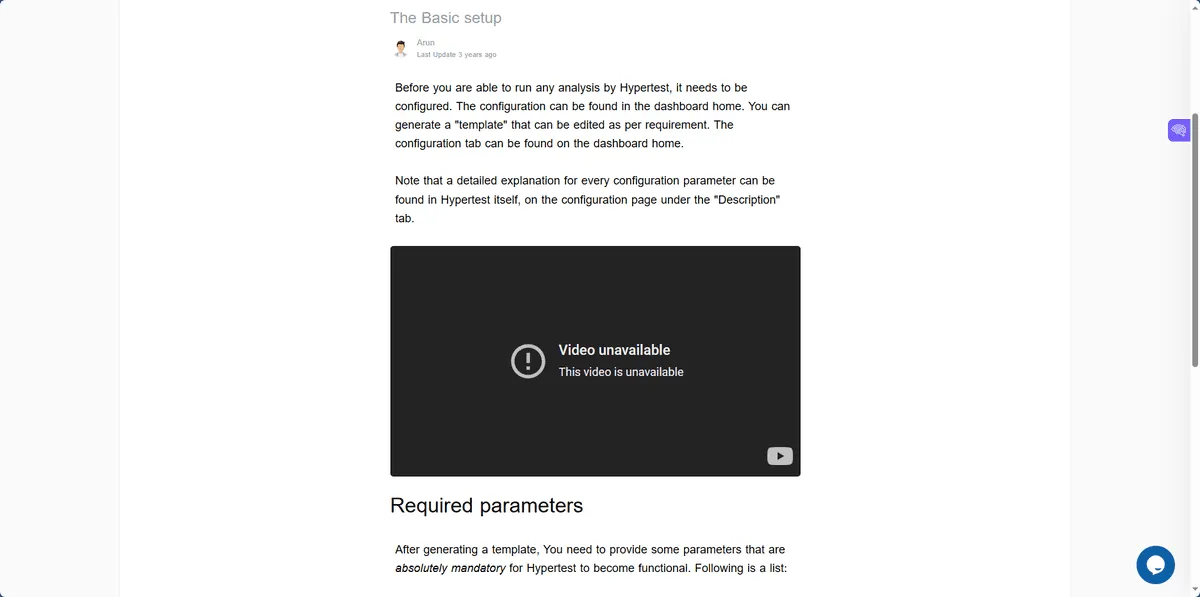 However, HyperTest’s documentation is powered by GitBook, which some consider the industry standard for modern software development documentation. The interface is responsive, and much of the documentation is concisely written and easy to follow (especially HyperTest’s v2 documentation).
Conclusion
Both products connect recorded behavior to tests and dependency mocks. Speedscale offers documented local and Kubernetes workflows with traffic transformation and performance testing. HyperTest uses an SDK-based record/replay workflow. Evaluate the same service, deliberate regression, and CI gate in each tool before deciding which setup fits your team.
Frequently asked questions
What must be installed to capture traffic?
Speedscale offers an operator and collector path for supported Kubernetes workloads, plus proxymock for local proxy-based recording. HyperTest’s documented architecture uses an SDK to instrument application libraries, a CLI to run isolated tests, and a server for its dashboard and stored results. Compare the supported runtime and client libraries as well as the installation steps.
Can I test a service without its live dependencies?
Both products document replay with dependency mocks. HyperTest’s SDK supplies recorded outbound responses during replay; proxymock answers supported outbound exchanges from a recording. Verify startup dependencies and unmatched calls too. A recording of one successful request does not establish that every database connection, token refresh, or background task will be isolated.
What should I compare in a trial?
Use the same service, requests, and deliberate regression in both trials. Check capture completeness, request matching, dynamic credentials, and whether the changed response produces a failing result. Then test the workflow in CI and inspect its reports. This evaluates the complete testing path rather than relying on a feature list or a recorded happy path.
Sources: Kubernetes traffic collection, proxymock installation, HyperTest architecture, proxymock architecture, Regression testing with a baseline.